Think it. Generate it.
Image, music & video in one studio.
Every model. Your keys. Your canvas. Bring Seedance, Kling, Veo, Runway, Luma, Suno, and Flux together in one open-source workspace, with no marked-up credits and nothing locking you in.
- Open Source
- Privacy-First
- macOS · Windows · Linux
From a brief to a finished asset
Real workflows you can open, run, and change. Each one runs from the brief to the finished piece without leaving the canvas, and every one is built from the blocks you get on day one.
Movie Trailer Generator
Type one logline and the canvas builds a cinematic teaser. A showrunner agent writes the treatment, a list generator breaks it into shots, each shot is rendered as key art, animated, and cut into a finished trailer.
Product Video Generator
Turn a campaign brief and a single product photo into a cinematic 16:9 product video. Your inputs feed a prompt, an agent directs the shot, and a text-to-video model renders it.
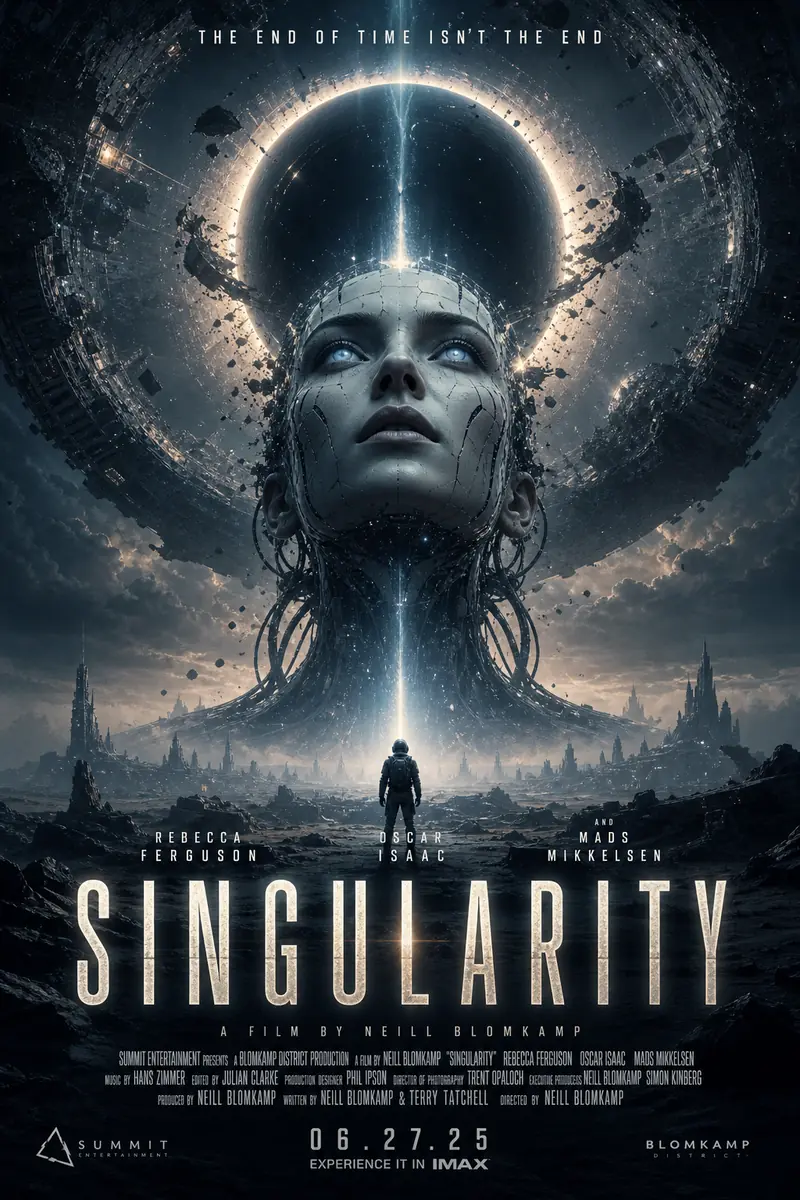
Movie Poster Generator
From a title, genre, and audience, the canvas writes a creative strategy and renders a batch of cinematic movie poster concepts, title, tagline, billing block and all.
Generate AI video and audio straight onto the timeline.
Type a prompt at the playhead, pick a model, and the new clip drops onto the track — video and audio on one multi-track timeline. Trim, split, and arrange like any editor, then export a finished cut.
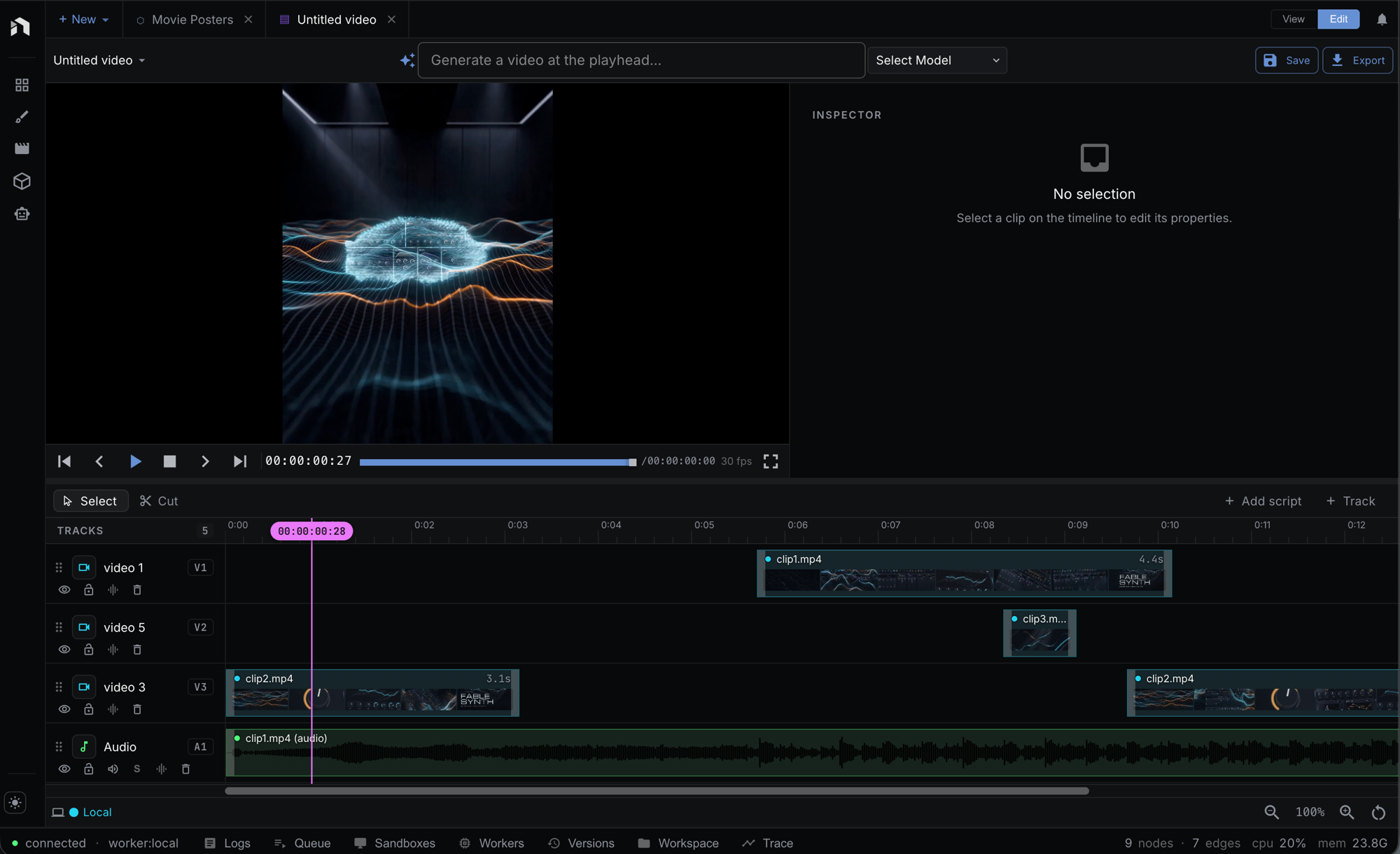
Generate at the playhead
Prompt a model and the resulting clip lands on the track right under the playhead — no import step.
Multi-track video & audio
AI video and AI audio sit on the same timeline. Stack tracks, trim, split, and rearrange clips.
Export a finished cut
Render the whole sequence to a single video — the edit happens where you generate, not in another app.
Paint and generate on the same canvas.
A full layer-based image editor lives inside Studio. Paint with real brushes, stack layers and blend modes, then prompt a model to create or refine any layer — and export a finished PNG without ever leaving the canvas.
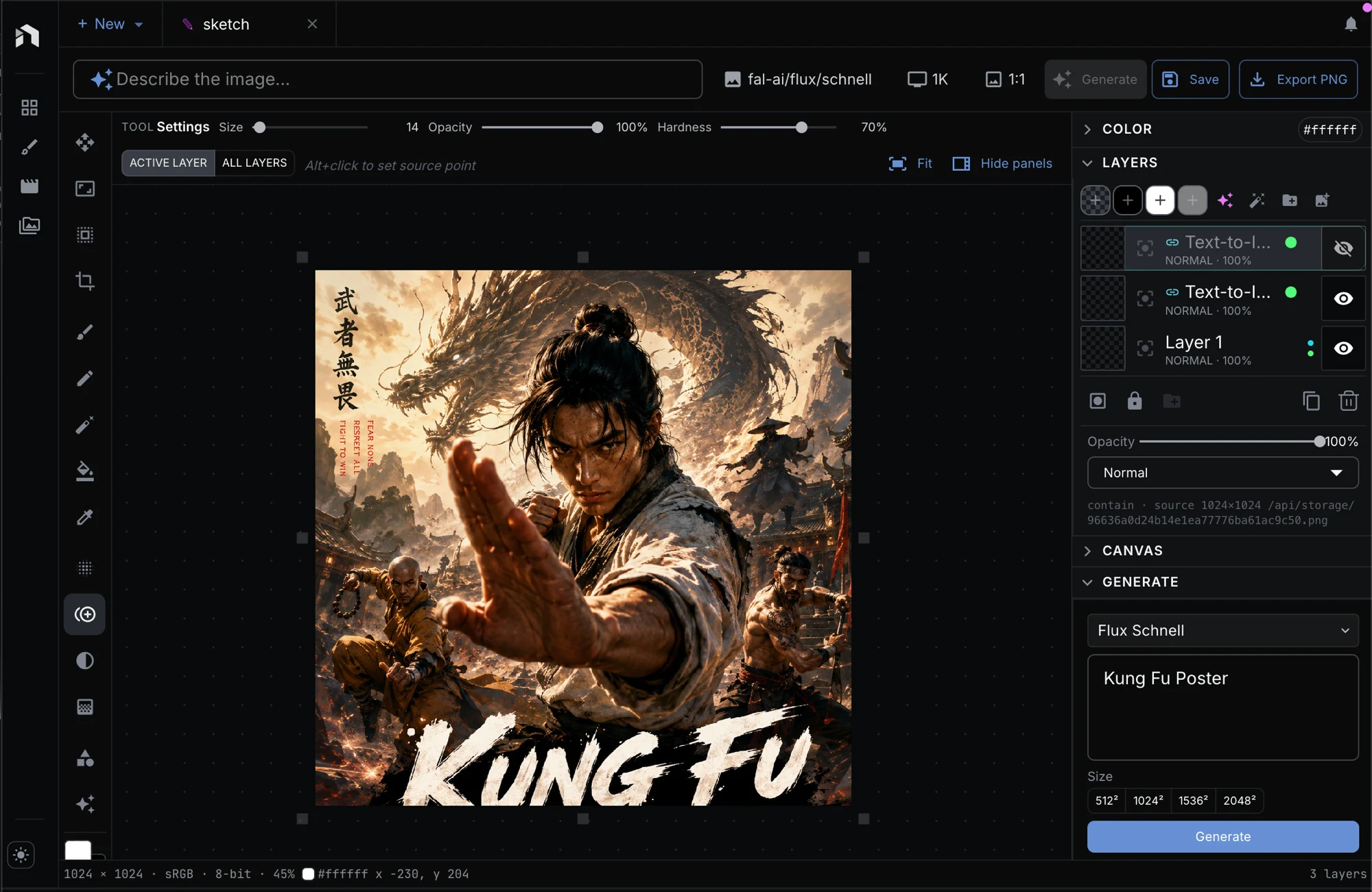
A real brush engine
Round, soft, airbrush, and spray brushes with size, opacity, hardness, and angle. Pick any color and paint straight onto the canvas.
Layers & blend modes
Stack layers, set opacity and blend modes, reorder and mask — the same controls you reach for in a pro image editor.
Generate onto a layer
Describe an image and it lands on its own layer. Mix hand-painted strokes with text-to-image and image-to-image right where you draw.
One canvas for
every medium
The same models the studios use, including Seedance, Kling, Luma, Suno, and Flux, on one visual canvas with masks, inpaint, outpaint, relight, upscale, and compositing built in.
Visual Workflow Canvas
Snap blocks together into complete creative workflows, so the whole process sits on one screen, from brief to final render.
- Infinite canvas
- Watch every step run live
- Reusable groups you can save
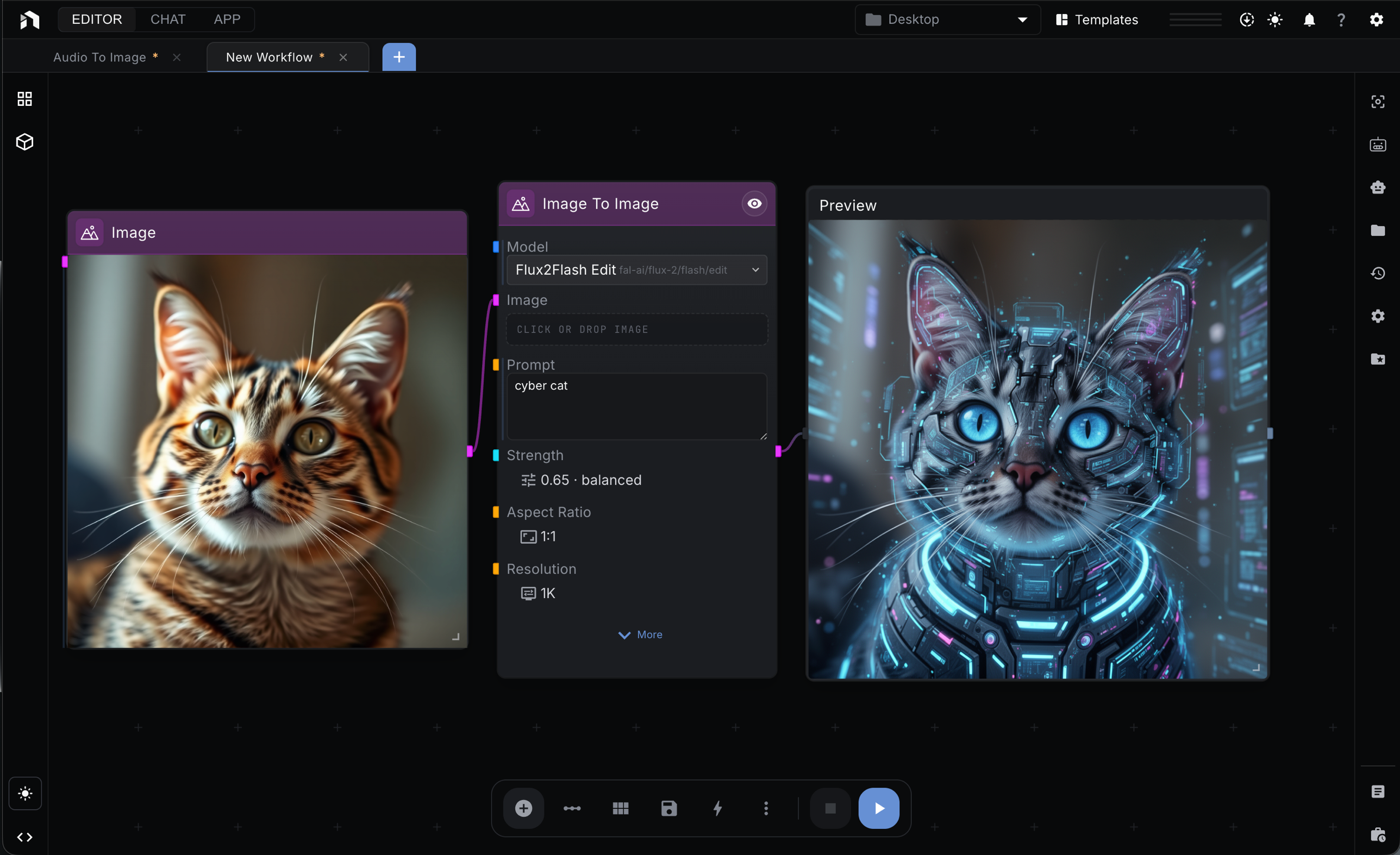
Image generation & editing
Run Flux, Qwen-Image, Nano-Banana, Z-Image, gpt-image, and the rest. Generate, mask, inpaint, outpaint, relight, and upscale, all on the canvas.
- Masks, inpaint, outpaint
- Multi-model support
- Batch processing
Video workflows
Put Seedance, Kling, Veo, Runway, and Sora next to your editing steps. Generate, transform, and join clips without exporting between tools.
- Frame-accurate edits
- Motion smoothing
- Convert between formats
Audio on the same surface
Write music with Suno, make voices with ElevenLabs, and turn speech into text with Whisper. Same canvas, no extra tabs.
- Stem separation
- Music generation
- Voice generation
Why creatives choose NodeTool
Your work, your machine
Studio runs on your computer. Your prompts, files, and outputs stay on your disk unless you choose to share them.
No credits. No markup.
Studio is free and open source under AGPL-3.0. Bring your own keys and pay providers directly.
Every model on one canvas
Seedance, Kling, Veo, Runway, Luma, Suno, ElevenLabs, Flux, Ideogram, and more. Switch the moment a better one arrives.
Join the community
Share workflows and prompts, and compare notes with other working creatives. NodeTool is open source under AGPL-3.0.
Every model. Your keys.
Your canvas.
Download NodeTool, connect the providers you already pay for, and start your next piece on a canvas you actually own.
Download NodeTool