
Open-source creative harness
Give Claude Code a creative harness.
NodeTool is open-source agentic creative software: an AI agent that operates creative tools and leaves work you can edit. Give a brief to the built-in agent, or connect Claude Code, Codex, or Cursor over MCP. The agent generates images, video, and audio, then builds the storyboard, timeline, sketch, game, or workflow. A harness is everything an agent works inside: tools, editors, models, keys, and a record of each step.
Open source under AGPL-3.0 · Your models and keys · MCP, CLI, and API
Build a launch video for the Aurora Trail watch from product.jpg.
- search_nodes(image to video)4 matches
- create_workflow(aurora-launch)7 nodes
- validate_workflowno errors
- run_workflowImage To Video: 4:3 input rejected
- get_job_logs1 failed node
- The video model takes 16:9. I will crop the photo before it.
- create_workflow_version(v2)8 nodes
- run_workflowdone in 43.9s
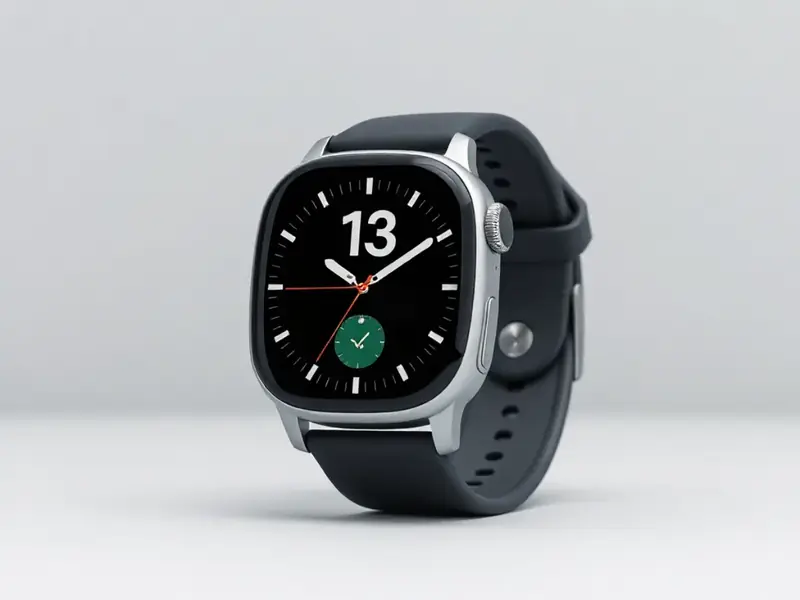 aurora-launch.mp4saved to assets/
- Saved aurora-launch v2. Open it in Studio to change any node.
Use your subscription
Run the agent on the $20 AI plan you already pay for.
Sign in with ChatGPT or Claude, and the agent runs on your subscription instead of a metered API bill. Your ChatGPT and Gemini plans also generate images, and Gemini generates video. Those runs count against your plan's own limits.
For a model your plan doesn't cover, add your own key for fal.ai, Kie.ai, Replicate, or OpenAI and pay that provider its list price. NodeTool adds nothing on top.
| Plan | Chat and agent | Images | Video |
|---|---|---|---|
| ChatGPT | |||
| Claude | |||
| Gemini |
Subscriptions run in Studio, the desktop app. Gemini also needs the NodeTool Chrome extension in the browser where you are signed in.
Inside the harness
Build. Run. Inspect. Repair.
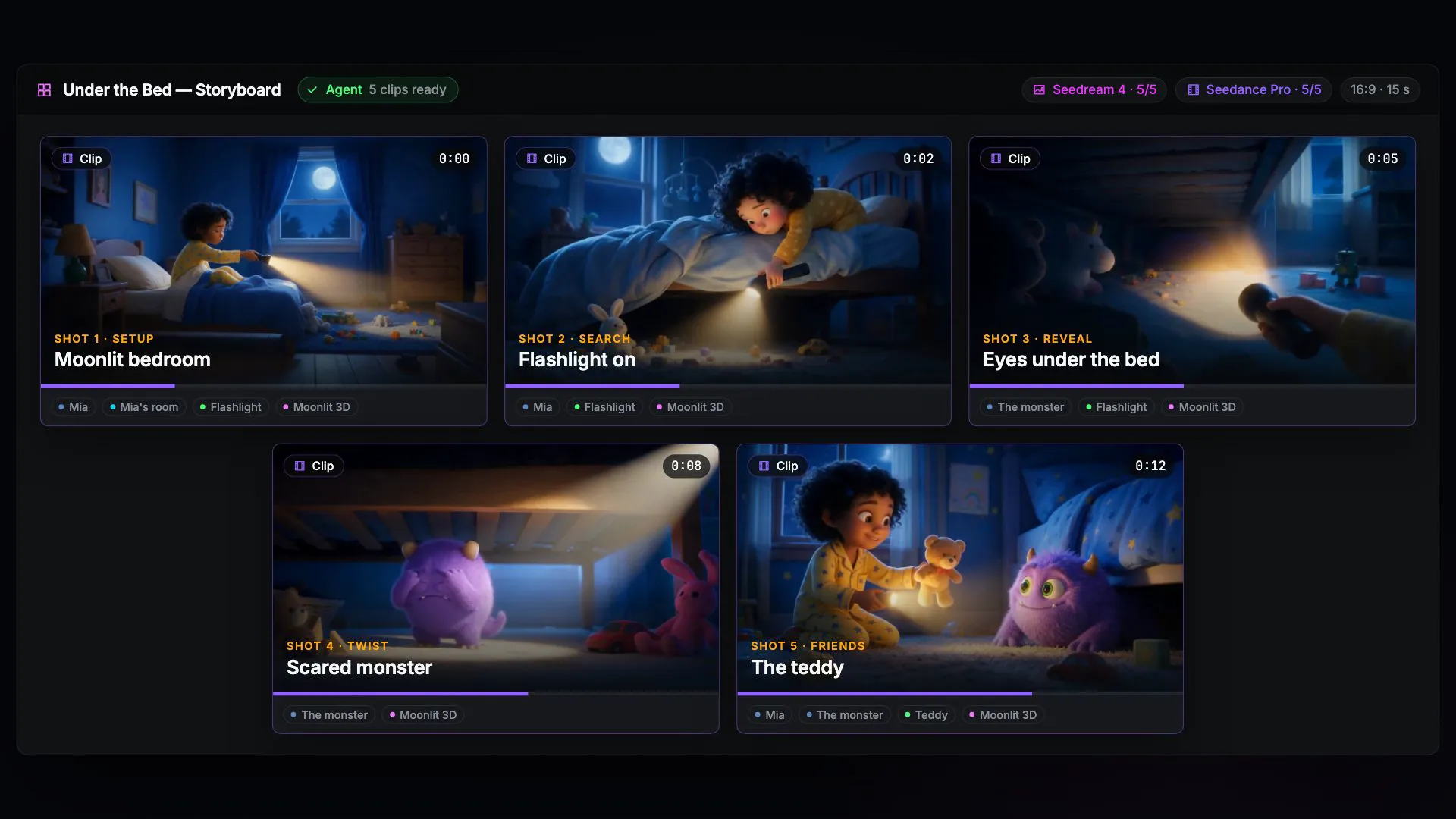
A chat assistant answers once and stops. Inside the harness, the agent works on a saved workflow, so it can see which step failed and fix that step.
- 1
Build
create_workflowThe agent adds nodes, picks models, and wires the graph.
- 2
Run
run_workflowThe graph calls your local models and provider accounts.
- 3
Inspect
get_job_logsEvery tool call, output, and error is in the log.
- 4
Repair
create_workflow_versionThe fix is a new version. The last good one stays.
What the harness gives the agent
Eight editors the agent can work in. No export step.
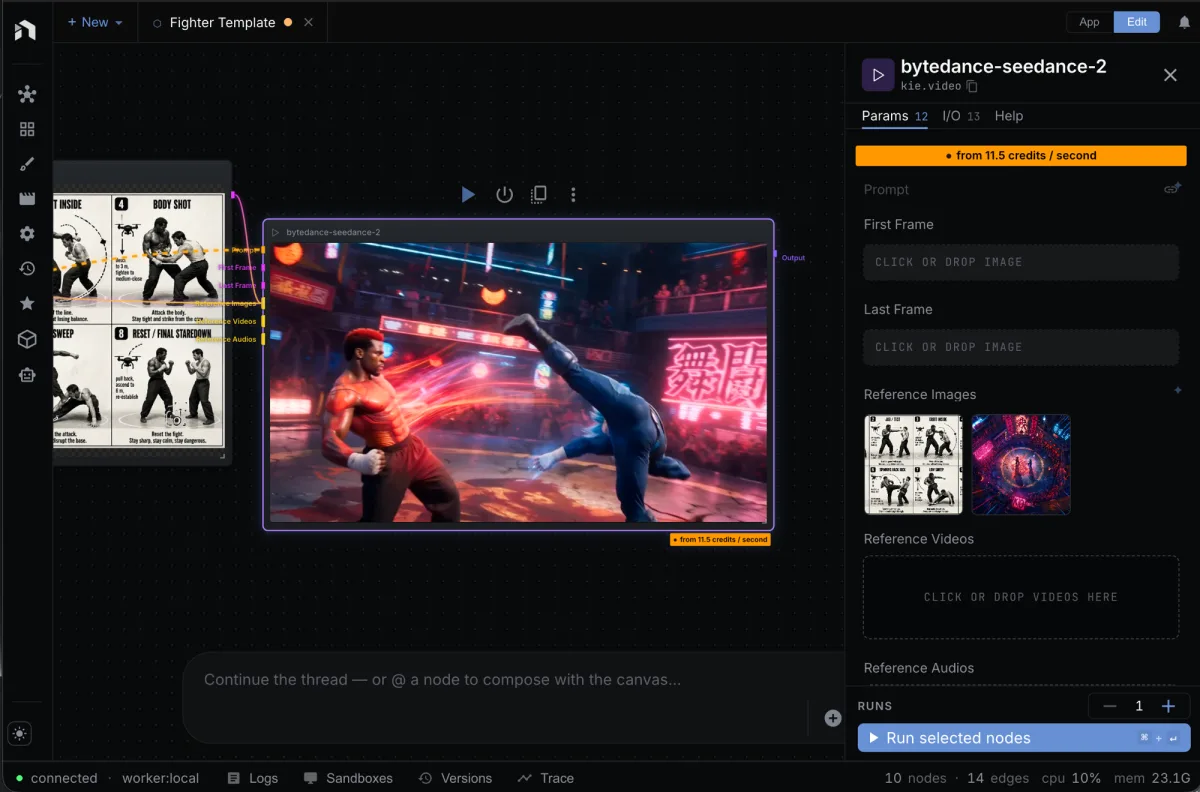
The agent edits the same documents you open in Studio. When it stops, the work is already in the editor.
Workflows
Wires nodes, picks models, validates the graph, and runs it.
Storyboards
Breaks a brief into shots and renders a frame for each one.
Timelines
Places clips, trims the cuts, and renders the edit.
Scripts
Drafts the scenes and voices the lines.
Sketches
Builds a layered image and edits it one layer at a time.
3D scenes
Places objects, lights, and materials, then renders the scene.
Games
Places entities, writes their behaviors, generates the art, and play-tests the level.
Apps
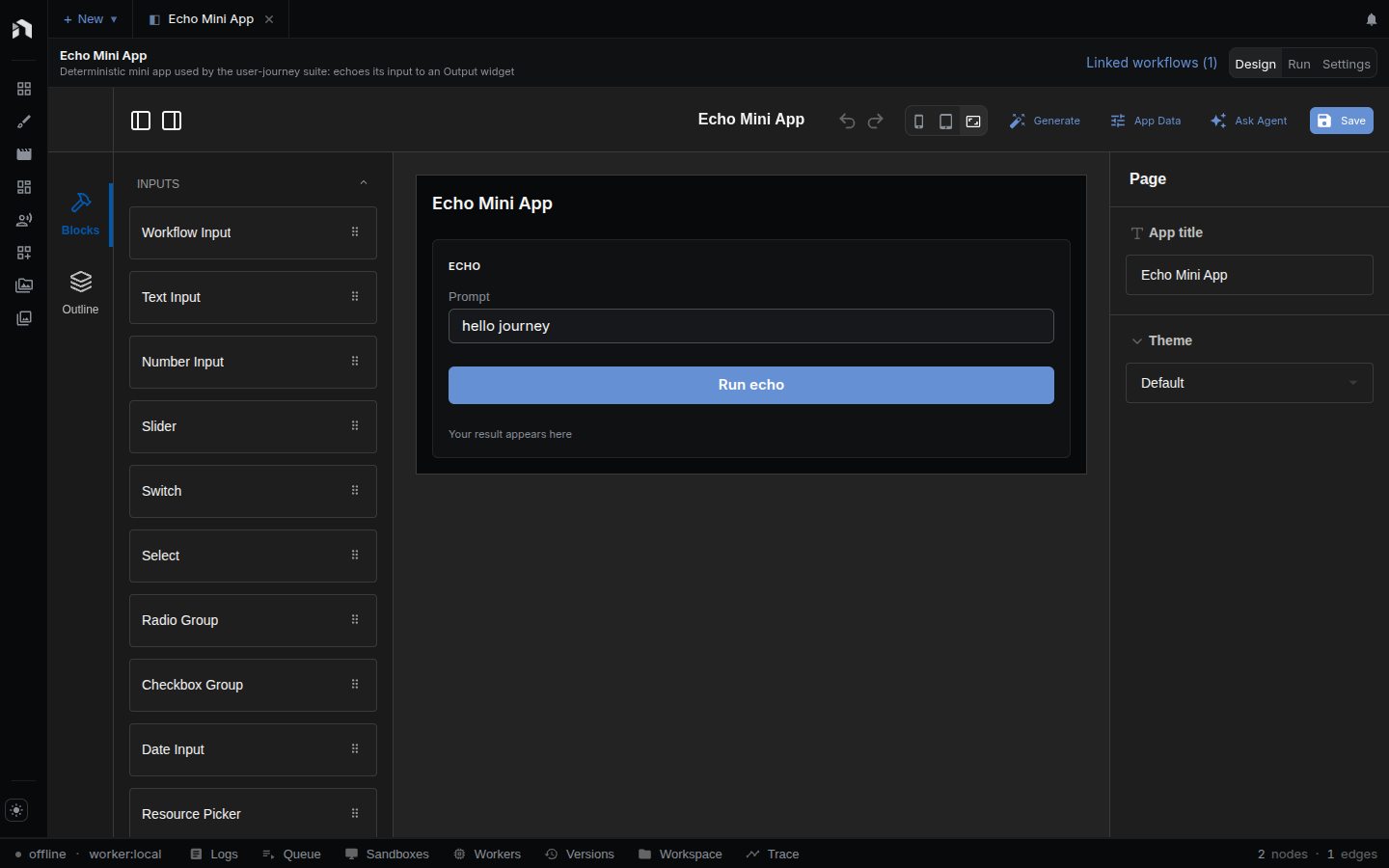
Places the widgets, binds them to a workflow, and checks that the app runs.
Your limits
The harness runs on your models and your keys.
You decide what the agent may use, and you can read everything it did.
Your models
Run the agent on Claude, GPT, Gemini, or a local model through Ollama. Each node names its own model.
Your keys
Each generation is billed to your own provider account at its list price. NodeTool sells no credits.
A full record
Read each tool call with its arguments, result, and error. Find the step that went wrong.
Your hands
Stop the agent, change a node yourself, and hand the work back. It reads the graph as you left it.
Choose how much the agent may do on its own.
Each chat has a permission mode. Reading and searching run in every mode. The mode decides what happens to the rest.
- Plan
- The agent investigates and proposes a plan. Nothing runs.
- Default
- Reads run on their own. You approve each action that changes, generates, or calls out before it runs.
- Auto
- The agent works without asking. Every tool call still goes into the log.
MCP server
Put the agent you already use in the harness.
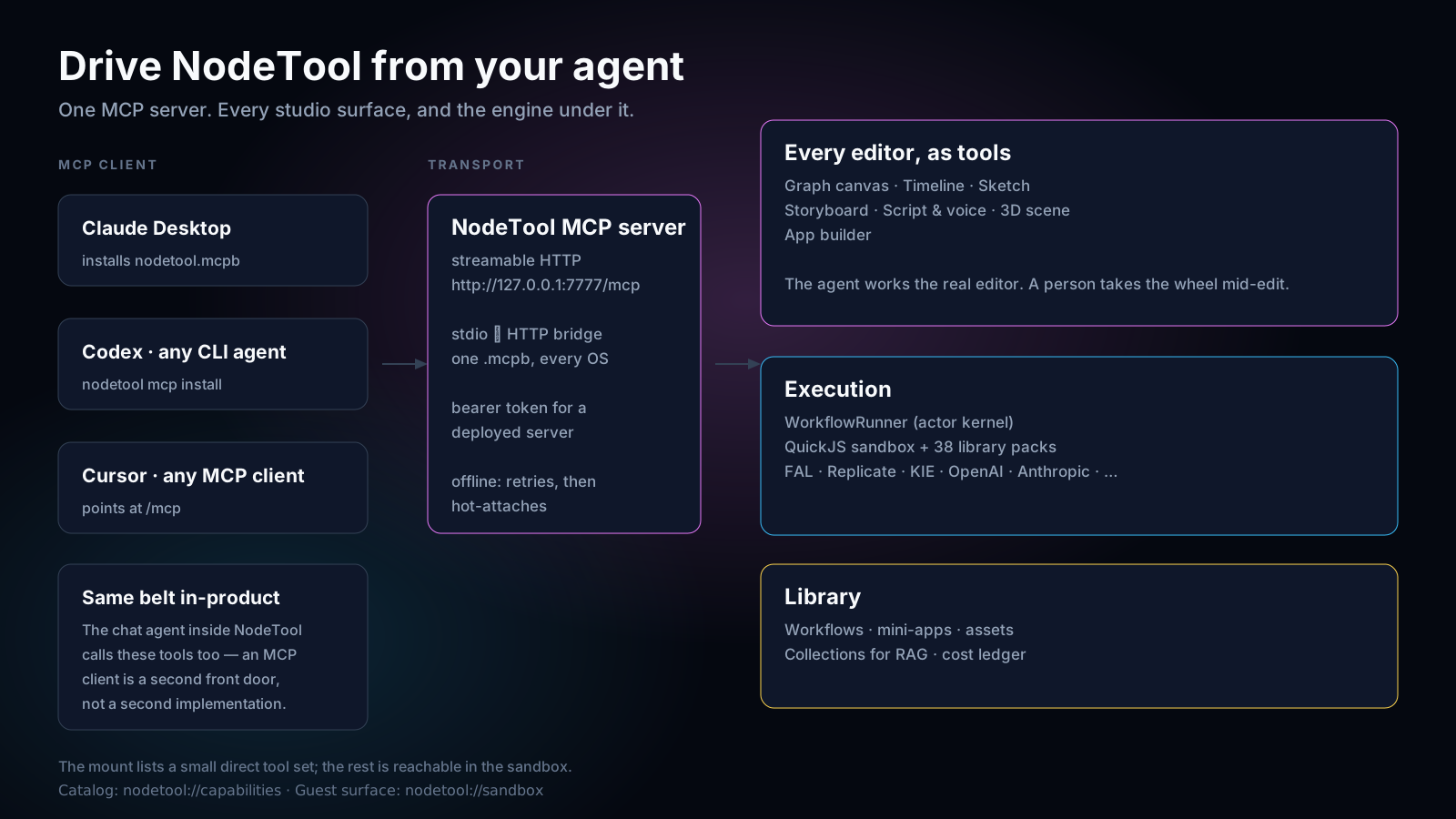
One command adds NodeTool to Claude Code, Codex, or OpenCode over MCP, the standard way agents connect to outside tools. Your coding agent can then generate images, video, and audio, wire workflows, and cut timelines you open later in Studio. You do not need Studio installed to start.
$ npx -y --package=@nodetool-ai/cli-mcp nodetool-mcp install- 01
Install
The command finds the coding agents on your computer and adds NodeTool to each one's settings. It needs Node.js 22.
- 02
Restart the agent
Then ask it: “List my NodeTool workflows.”
- 03
Store your keys
Run nodetool secrets store once per provider, such as FAL_API_KEY.
For Cursor, Claude Desktop, or another MCP client, run nodetool-mcp config and paste the block it prints. Read the MCP setup guide or see every tool the MCP server gives your agent.
Questions before you build.
What is NodeTool?
NodeTool is an open-source app for making images, video, audio, and text with AI. You describe what you want, and a built-in AI agent does the work: it writes, generates, and edits inside NodeTool's editors. Then you can change any part yourself. You get an editable project, not just a finished file, so your steps, media, and edits stay together. Run supported AI models on your own computer, or connect online AI providers such as OpenAI, Google, and fal.ai with your own accounts.
Read more →What does "bring your own keys" mean for me?
It means you connect your own provider accounts and pay each provider directly at its published price. NodeTool does not add a credit system or a provider-price markup. The provider still receives the requests you send to its models. You will sometimes see this written as BYOK.
Read more →Can I use my ChatGPT, Claude, or Gemini subscription?
Yes, in Studio. Sign in with ChatGPT or Claude, and the agent runs on that subscription instead of an API key. With the NodeTool Chrome extension, NodeTool also uses the ChatGPT or Gemini tab you are signed in to: ChatGPT generates images, and Gemini runs chat, images, and video. Those runs count against your plan's limits, so you get no pay-per-call bill for them. Every run shows up in your ChatGPT or Gemini history.
Read more →Which models are supported?
The leading models, including Flux, Seedance, Wan, Veo, Kling, Hailuo, Qwen Image, Whisper, ElevenLabs, and Suno, reached through providers such as FAL, KIE, OpenAI, Anthropic, Gemini, Replicate, Together, Groq, Mistral, OpenRouter, and HuggingFace. Models can also run on your own computer through MLX, Ollama, llama.cpp, vLLM, and LM Studio.
Read more →What does it mean that NodeTool is agent-first?
It means the AI agent works in the same editors you do. The node canvas, sketch pad, storyboard, video timeline, script editor, 3D scene, game editor, and app builder each give the agent the actions you have, so it can change your project the way you would. A log records every action the agent took, its result, and any error. Coding agents outside NodeTool, such as Claude Code, can use the same actions through MCP, the standard way AI agents connect to outside tools.
Read more →Can I use NodeTool from Claude Code, Codex, or Cursor?
Yes. NodeTool runs as an MCP server. Run npx -y --package=@nodetool-ai/cli-mcp nodetool-mcp install and restart the agent. The command registers NodeTool with Claude Code, Codex, and OpenCode, and nodetool-mcp config prints a config block for Cursor, Claude Desktop, and other clients. The agent gets workflows, image, video, and audio generation, and your asset library as tools. Studio is optional. When Studio runs, the agent's changes appear in the open editor.
What is a creative harness?
A harness is what an AI agent works inside: the tools it can call, the documents it can change, the models and keys it may use, and the record of what it did. NodeTool is a creative harness. It gives the built-in agent, or a coding agent such as Claude Code over MCP, image, video, and audio generation and the same editors you use. The agent runs on your provider accounts, every tool call is logged, and the work stays as editable workflows and projects. NodeTool is open source under AGPL-3.0.
Read more →What is a planning agent?
A planning agent takes a goal, breaks it into steps, picks a model or tool for each step, and works through them in order, adjusting as it goes. In NodeTool an agent is a block on the canvas, so its results feed into the rest of your workflow.
Read more →Run your first brief through the harness.
Download Studio and watch the agent build a workflow you can open, change, and run again.
Updated