NodeTool Cloud is in alpha. Direct films and run workflows in the browser, on your own keys.NodeTool Cloud is in alpha. Try it →

Product
StudioCloud (alpha)AgentsNode-based workflowsAI video editorAI image editorStoryboardsMCP serverSupported modelsDownloadSolutions
DevelopersMarketingGame developmentLocal-firstResearchersAll solutionsResources
TemplatesRecipesPresetsAd libraryCompare alternativesFAQAI Movie Poster Generator
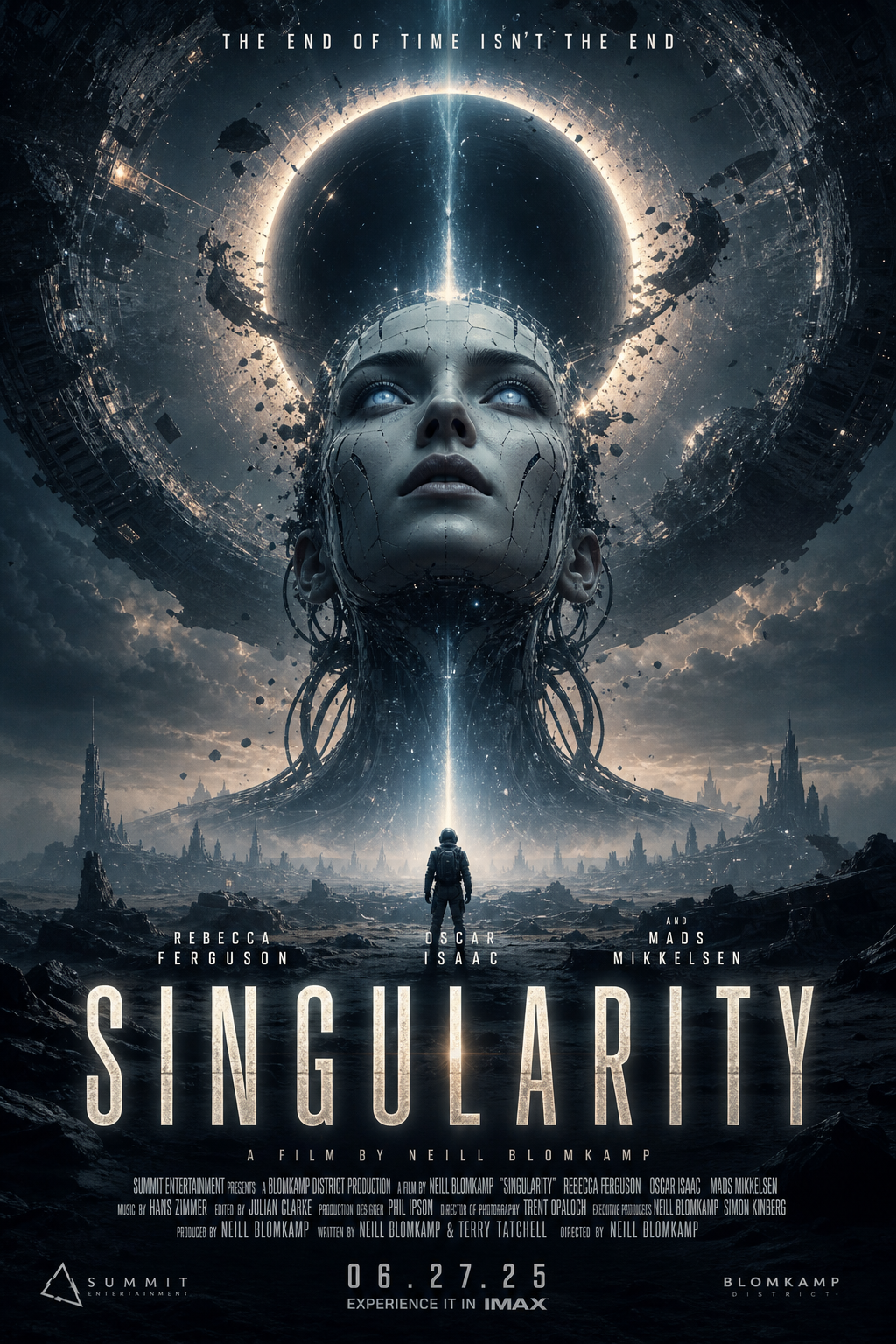
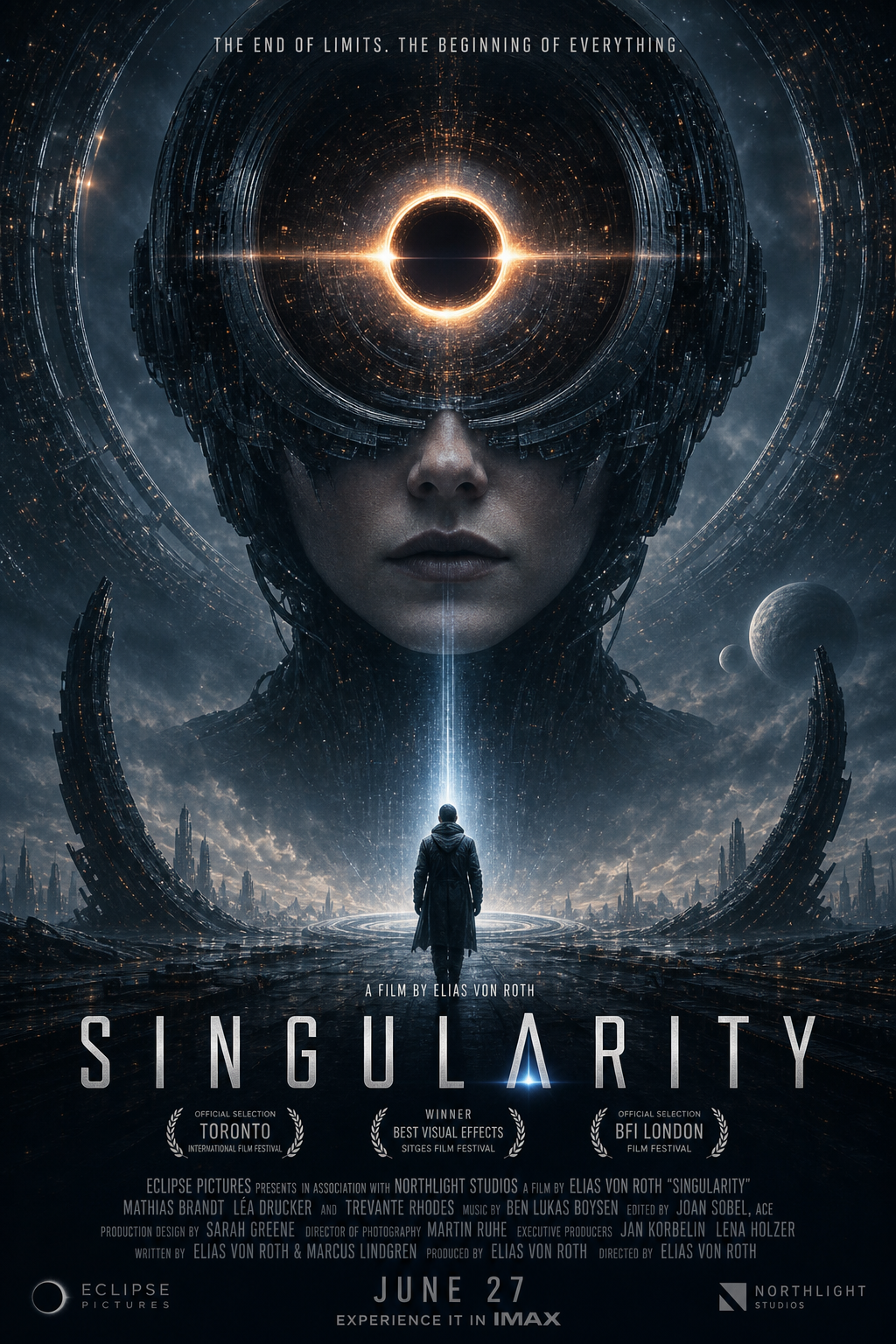
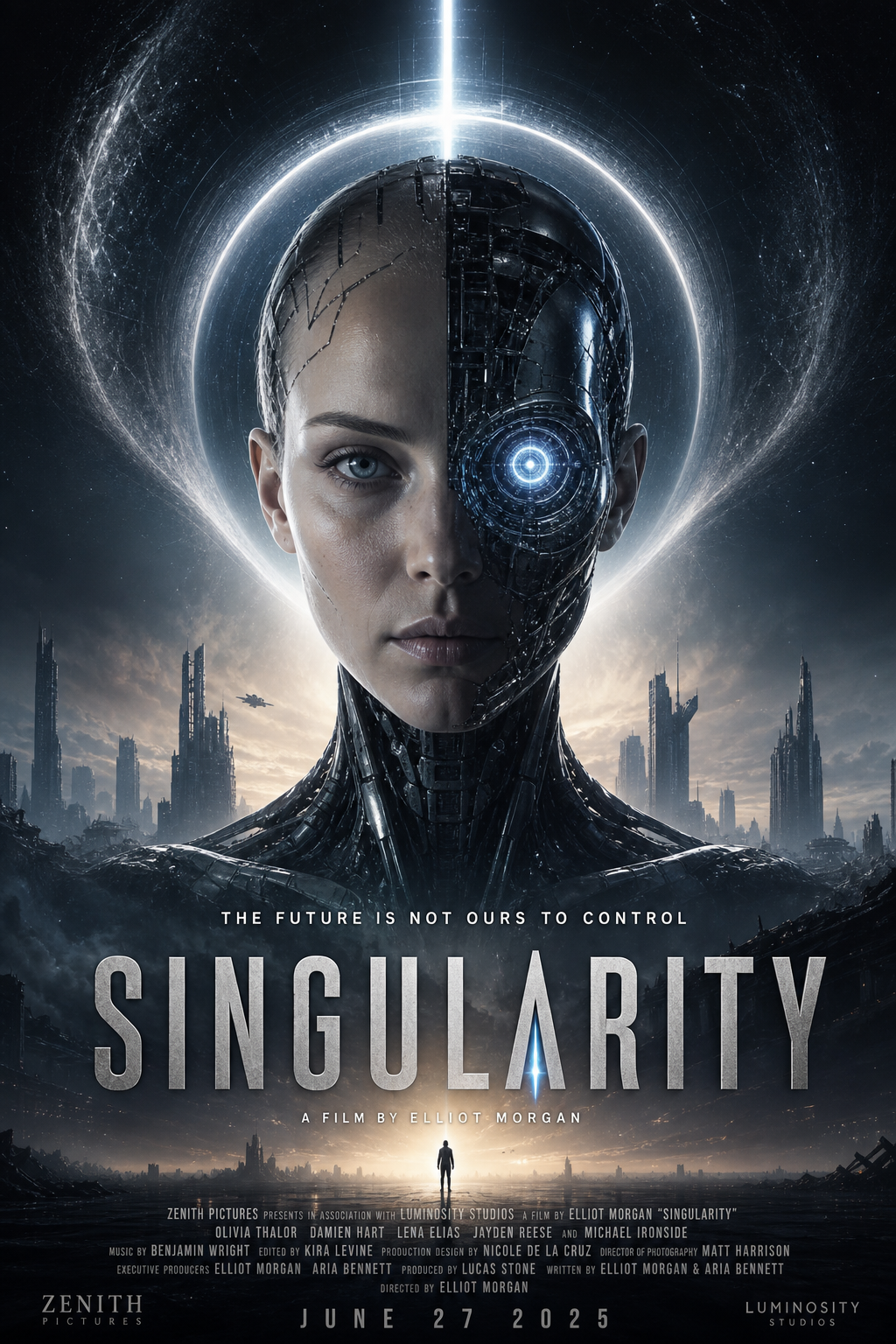
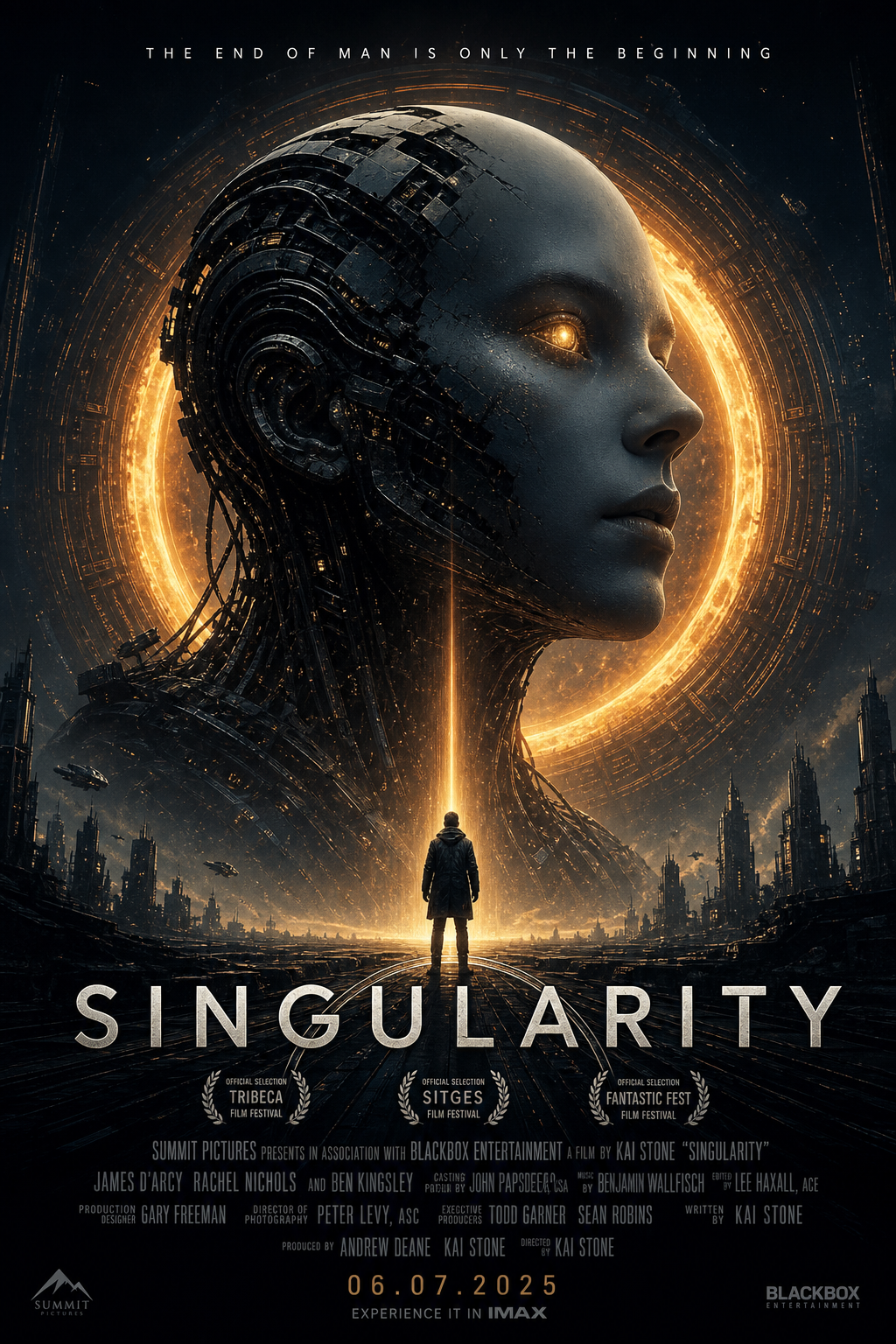
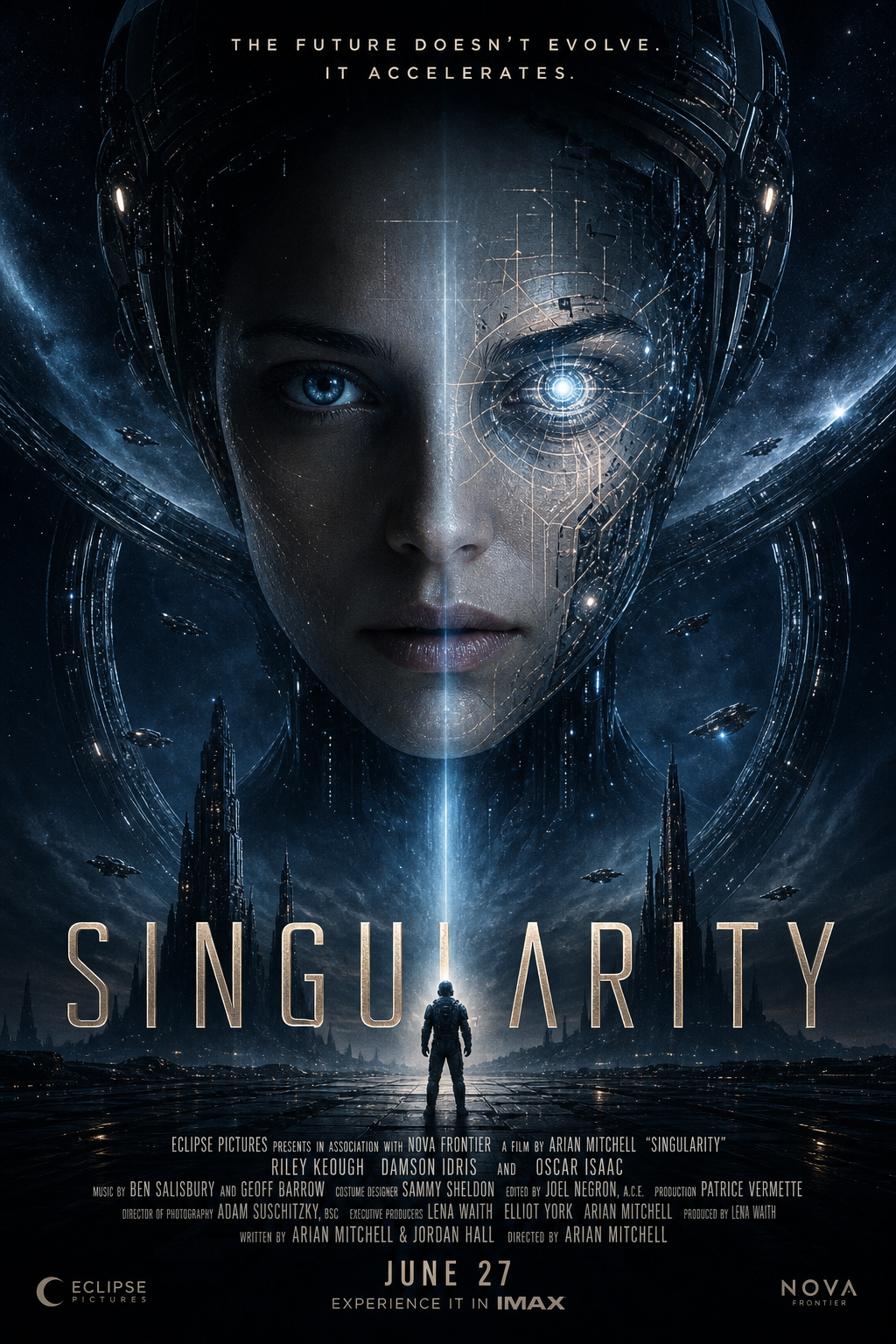
Enter a film title, a genre, and an audience. NodeTool writes a creative strategy and renders a set of movie poster concepts, each with a title, a tagline, and a billing block. It runs as an open-source workflow on your own Gemini and GPT Image-2 keys, and you can re-run it for any film.
Start with the Movie Posters workflow
Start with the same title, genre, and visual-style inputs used by the poster workflow. Inspect the art direction and revise the generated concepts.
OpenAI and FAL API keys. The shipped template uses GPT-5 mini and FLUX.1 Schnell. The gallery is an example, not a promise of identical output.
- In Studio, open Movie Posters from the template library.
- Connect OpenAI and FAL in provider settings. Review the selected models before spending on a run.
- Set Movie Title, Genre, and Visual Style, then run the workflow.
- Inspect the Poster output. Revise the brief or model, then save and rerun the workflow.
How it works
A handful of nodes do the work. A brief becomes a strategy, the strategy becomes concepts, the concepts become key art.

01Set the brief
Three text inputs hold the film's title, its genre, and the audience you're selling to. That's the entire creative input.
Singularity · Sci-Fi · AI Enthusiasts
02Write the strategy
A Prompt node frames the brief and an agent returns a real creative strategy: positioning, audience insight, a core visual concept, and a color palette.
Positioning · audience insight · hex palette
03Spin up concepts
Generate several concepts from the same brief, then choose one to develop.
Five plot concepts per run
04Render the key art
Each concept is templated into a full theatrical poster prompt, then an image model renders it, title, tagline, billing block and all.
GPT Image-2 · 2K · authentic Hollywood layout
One title. Five concepts.
Same brief, a fresh strategy each run. Here is Singularity rendered as five poster concepts, straight off the canvas.
Direct it yourself
Nothing here is locked. Swap models, shift the tone, re-roll a concept, or point the whole thing at a different title.
Swap the image model
GPT Image-2, Flux, Nano Banana, Ideogram. Change one node and the whole batch re-renders in a new look.
Shift the tone
Change the genre or audience and the strategy, palette, and posters all follow, no manual re-briefing.
Edit the poster recipe
The poster Prompt node owns the composition, typography, and billing-block layout. Tune it once, every render obeys.
Batch any title
Drop in a new title and run it again. The workflow is the reusable part; the posters are just this run's output.
Models in this workflow
Called with your own keys. The bill comes from the provider, not from us — no token markups — and you can switch any of them for a better model the day it ships.
Frequently asked questions
- How do you generate a movie poster with AI?
- In NodeTool it takes four nodes: enter the title, genre, and audience; an agent writes the creative strategy; a list generator turns it into distinct plot concepts; an image model renders each concept as a full theatrical poster, title, tagline, and billing block included.
- Is there a free AI movie poster generator?
- NodeTool is open source and free to download for macOS, Windows, and Linux, and the Movie Posters workflow ships with it. Each run calls a text model and an image model with your own provider keys, so the provider bills you for the renders and NodeTool adds nothing on top.
- What is a billing block, and does the AI poster include one?
- A billing block is the block of credits at the bottom of a theatrical poster: cast, director, producers, studio logos, and the release date in tall condensed type. The poster prompt asks the image model for one in the standard layout, so every poster has it, but the names in it are placeholder text the model writes. For real credits, put the exact names in the prompt and fix any wrong letters with a masked edit.
- Which models does this workflow use?
- Gemini 3.1 Pro Preview writes the strategy and the plot concepts, and GPT Image-2 renders the key art. Both are called with your own provider keys at provider prices.
- Can I swap in a different image model?
- Yes. GPT Image-2, Flux, Nano Banana, and Ideogram are one node apart — change the model and the whole batch re-renders in the new look, with the rest of the workflow untouched.
- Do I need a designer or Photoshop?
- No. The poster Prompt node owns the composition, typography, and billing-block layout, so each run produces finished poster concepts. Drop in a new title and run it again — the workflow is the reusable part.
Design your poster set
Download the open-source studio for macOS, Windows, and Linux, open this workflow, and render a campaign in minutes.