Local-First AI Workflows
Your models, your machine, your data. NodeTool Studio runs image, video, audio, and text workflows on your own computer using open models. There is no account to create and nothing is sent to a server you do not control.
- Open-weight models on Apple Silicon, NVIDIA, or CPU
- No account required, nothing phones home
- Add cloud providers only when you want them, using your own keys
One canvas
for the whole craft
Image, video, audio, and text on a single visual canvas, with the editing tools you already rely on sitting right next to the models. You direct the whole piece instead of generating parts of it.
Edit where you generate
Mask, retouch, extend, relight, upscale, layer, and composite. The editing tools you reach for live on the same canvas as the models.
Watch every step render
Results appear as each step finishes. Inspect any frame, swap a model, and re-run from that point on.
Your keys, provider prices
Bring your own keys for FAL, KIE, OpenAI, Anthropic, Gemini, Replicate, and the rest. The bill comes from the provider, not from us.
Image, video, audio, text
Flux, Seedance, Wan, ControlNet, Whisper, ElevenLabs, and Suno, all on one canvas under their real names. You always know which model you are running.
From a brief to a finished asset
Real workflows you can open, run, and change. Each one runs from the brief to the finished piece without leaving the canvas, and every one is built from the blocks you get on day one.
Movie Trailer Generator
Type one logline and the canvas builds a cinematic teaser. A Director node storyboards it into shots, each shot is rendered as key art, animated, and cut into a finished trailer.
Product Video Generator
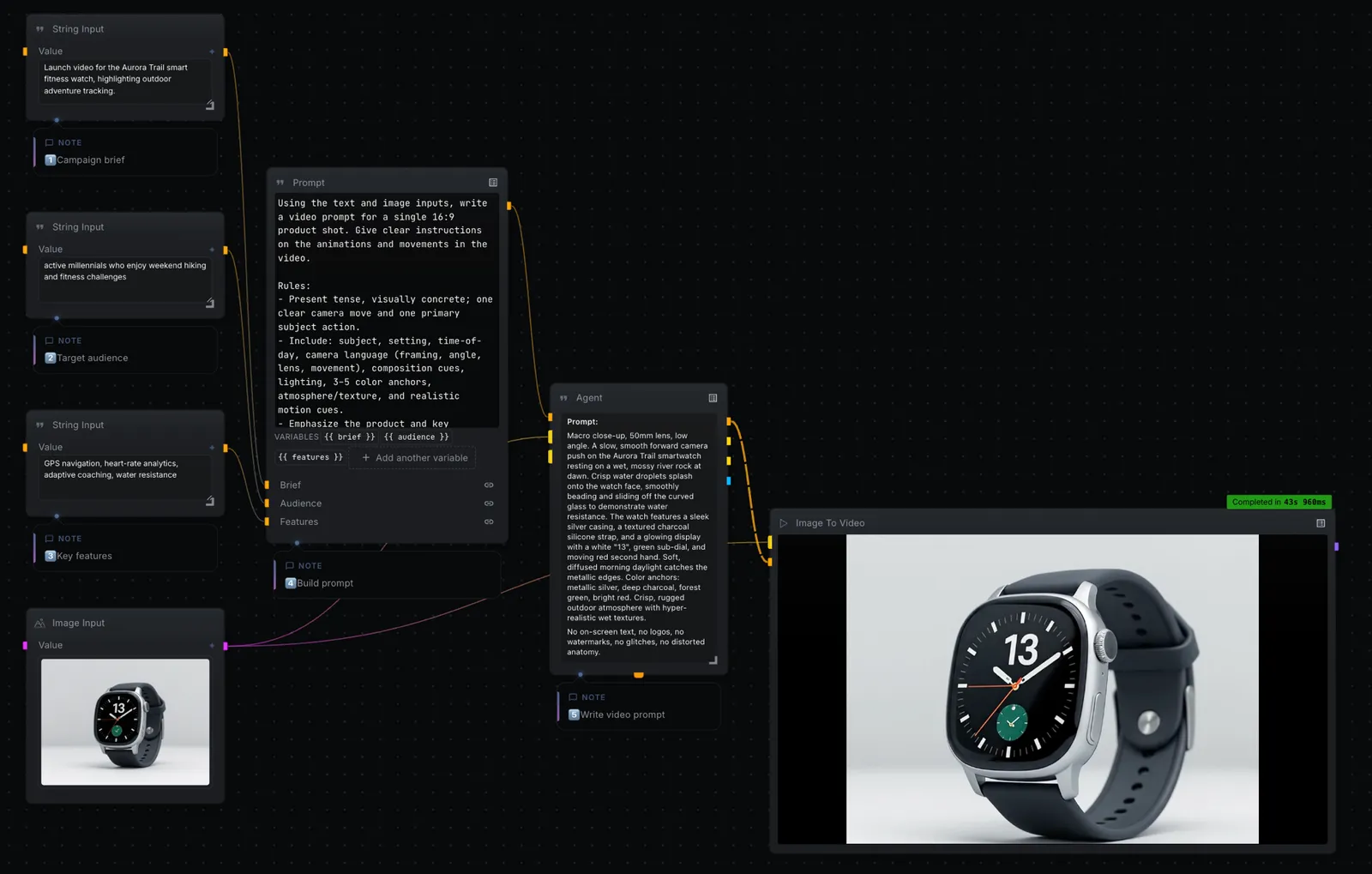
Turn a campaign brief and a single product photo into a cinematic 16:9 product video. Your inputs feed a prompt, an agent directs the shot, and a text-to-video model renders it.
Movie Poster Generator
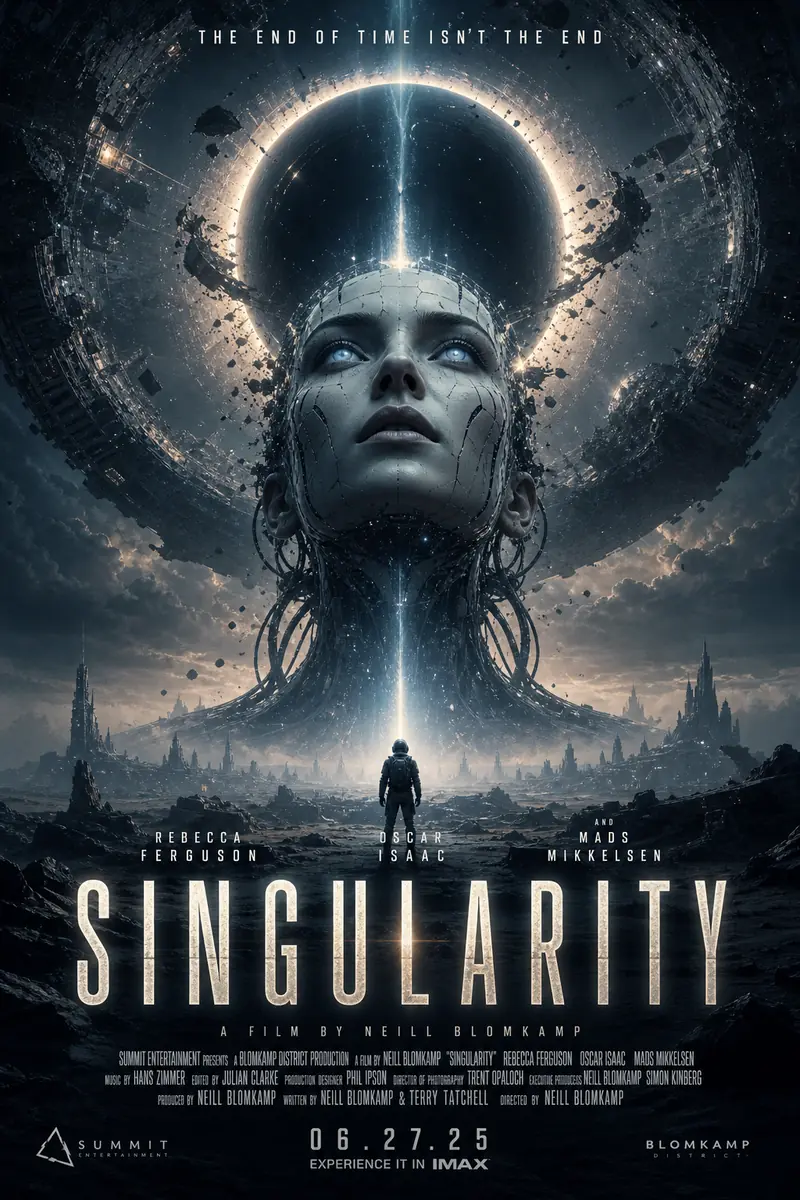
From a title, genre, and audience, the canvas writes a creative strategy and renders a batch of cinematic movie poster concepts, title, tagline, billing block and all.
Frequently asked questions
Does NodeTool work fully offline?
Yes, with local models. Download them once and run image, audio, and text workflows with no internet connection. Cloud providers are only used where you choose to add them.
What hardware do I need?
NodeTool Studio runs on Apple Silicon, NVIDIA GPUs, or CPU. Heavier models want a GPU; many text and audio workflows run comfortably on a laptop.
Where is my data stored?
On your machine. Assets, workflows, and keys stay local unless you deliberately call a cloud model or deploy to your own server.
Build it on your own machine
Free, open source, and yours to run. Download Studio, open the template, and make it yours with your own keys.