NodeTool Cloud 处于 alpha 阶段。在浏览器中导演影片、运行工作流,使用你自己的密钥。NodeTool Cloud 处于 alpha 阶段。 试用 →

审阅文字。重做一行配音。
一位英语主持人,用西班牙语重新配音。编辑译文,并逐行修改配音。

媒体通过 NodeTool 使用 FAL、Replicate 和 AtlasCloud 生成
按 Script 指南操作
先与智能体一起准备译文,再在 Script 引导中审阅并配音。时间对齐和口型同步放在最后。
- 创意
- 格式
- 声音
需要准备
- 一段你有权使用的短源视频
- 审阅过的文字稿和译文
- 支持目标语言的语音服务商
试试示例脚本
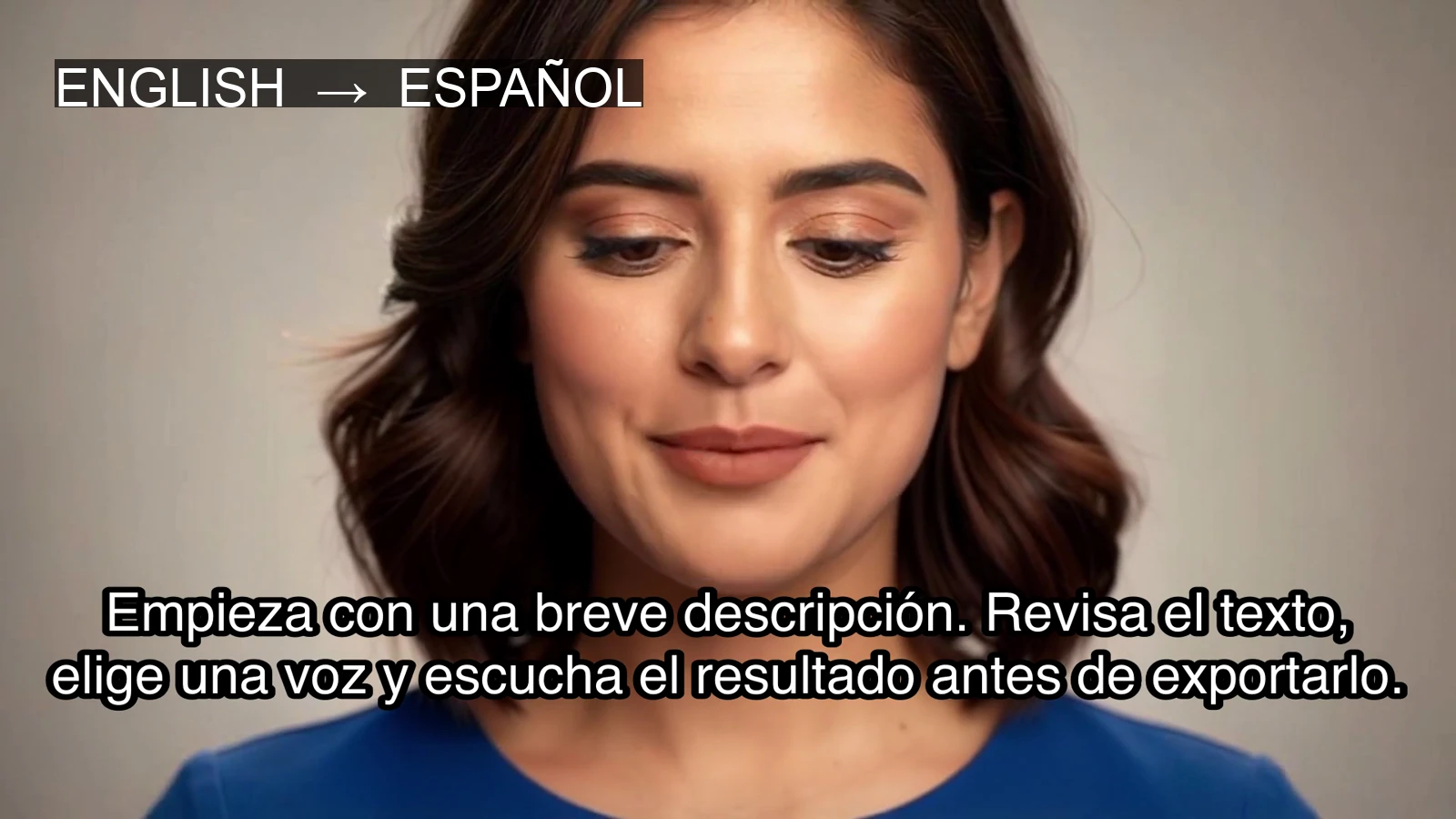
Empieza con una breve descripción. Revisa el texto, elige una voz y escucha el resultado antes de exportarlo. Si necesitas cambiar una frase, edítala y vuelve a grabarla. Tu guion sigue siendo editable, así que la siguiente versión parte del trabajo que ya tienes.
这是这次运行实际使用的英文简报。
关于这个示例
截图显示的是使用 Kokoro ef_dora 的西班牙语 Script 会话。对比视频使用的是 Inworld Ashley 声音。在 Voices 中选择语言并不会翻译脚本。
步骤图保留了这次实际运行的英文界面文字和提示词。
Goes in

- 01
English
Start with a short brief. Review the words, choose a voice, and listen before you export.
- 02
English
When one line needs a change, edit that line and record it again.
- 03
English
Your script stays editable, so the next version starts from work you already have.
In NodeTool
Agent
Transcribe, then translate
- Compare the transcript with the audio
- Check meaning, names, and pronunciation before Script
Comes out
- 01
Spanish
Empieza con una breve descripción. Revisa el texto, elige una voz y escucha el resultado antes de exportarlo.
- 02
Spanish
Si necesitas cambiar una frase, edítala y vuelve a grabarla.
- 03
Spanish
Tu guion sigue siendo editable, así que la siguiente versión parte del trabajo que ya tienes.
第 1 步,共 9 步 · 准备
准备并审阅译文
请智能体转写源视频,再对照音频检查文字。翻译成目标语言,并在打开 Script 之前审阅含义、名称和发音。
审阅译文
从你自己的脚本开始
安装 NodeTool Studio,新建项目并选择 Script。加入你的简报和参考素材,生成媒体之前先连接服务商密钥。
Studio 免费开源。媒体生成费用由你直接付给服务商。按上面的指南搭建你自己的项目。