NodeTool Cloud is in alpha. Direct films and run workflows in the browser, on your own keys.NodeTool Cloud is in alpha. Try it →

Product
StudioCloud (alpha)AgentsNode-based workflowsAI video editorAI image editorStoryboardsMCP serverSupported modelsDownloadSolutions
DevelopersMarketingGame developmentLocal-firstResearchersAll solutionsResources
TemplatesRecipesPresetsAd libraryCompare alternativesFAQKatalist alternative: From brief to editable cut.
An agent plans the storyboard and renders the shots. You keep the workflow, the storyboard, and the timeline, and can change any of them.
- Open source
- Local and hosted models
- Your own provider accounts
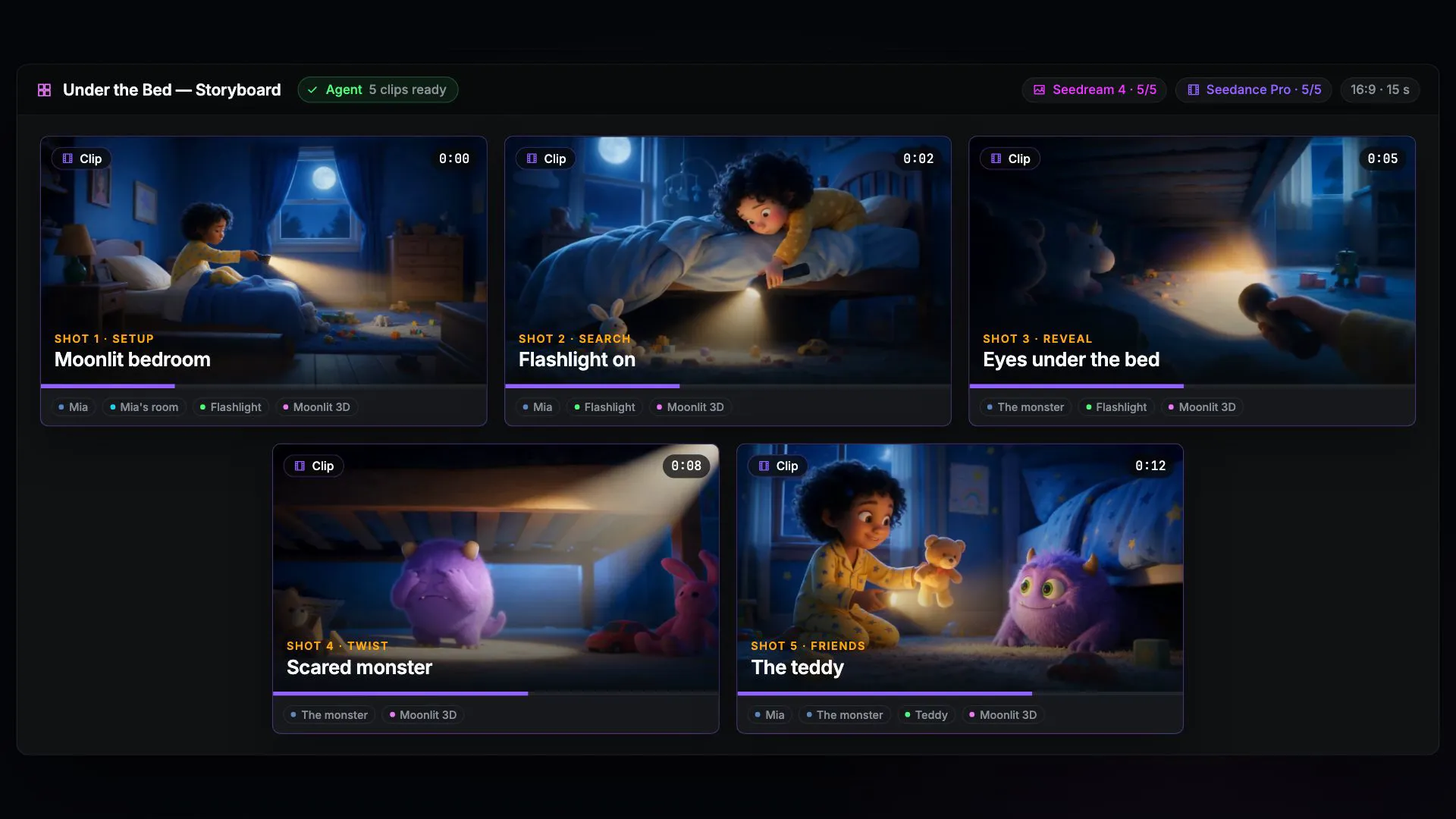
From brief to finished film, in one project
Each stage has its own editor, and the agent works in the same editors you do.
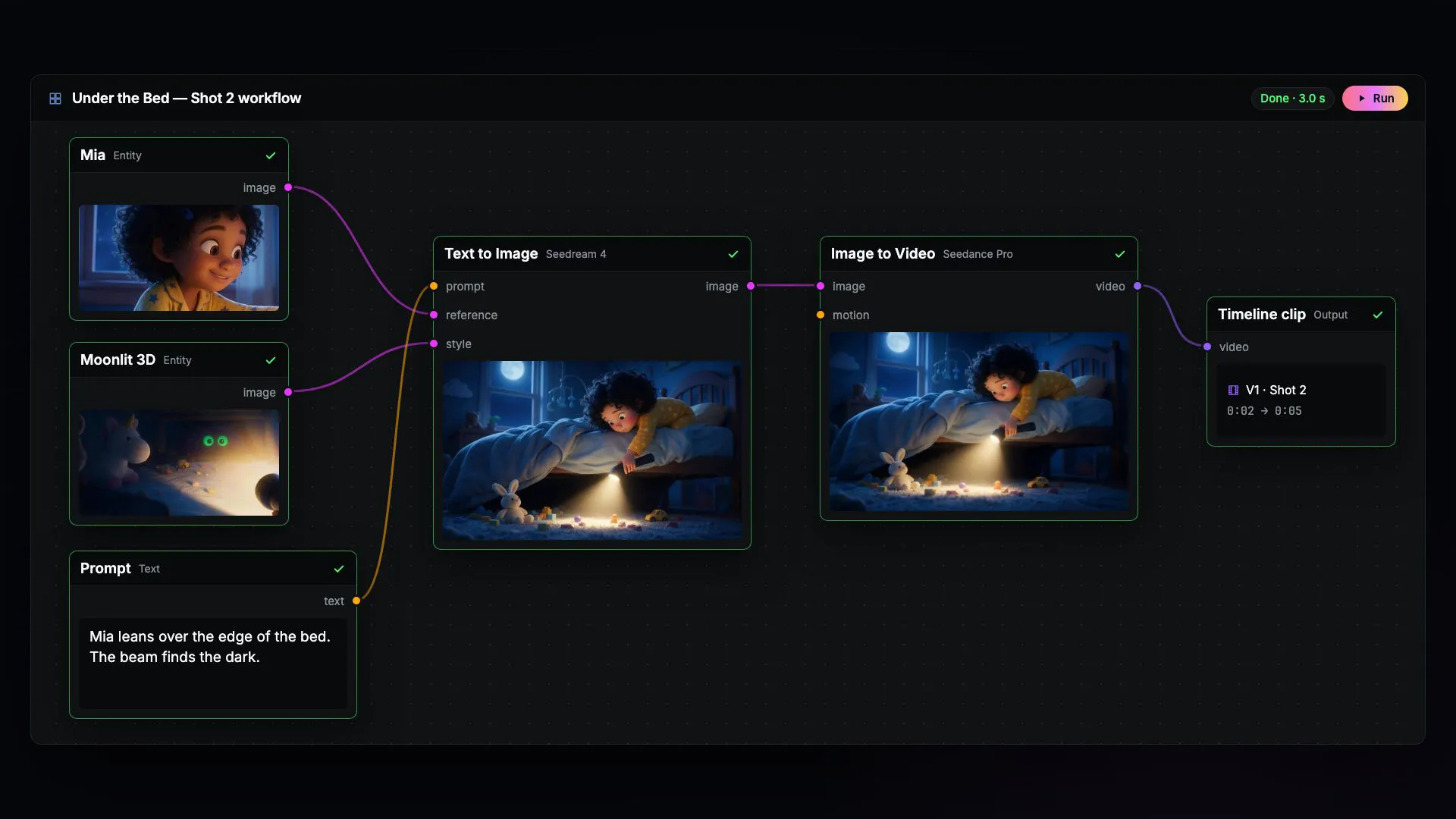
1. Build
Agent and node graph
Describe the film. The agent writes the workflow, and every step stays visible in the node editor.
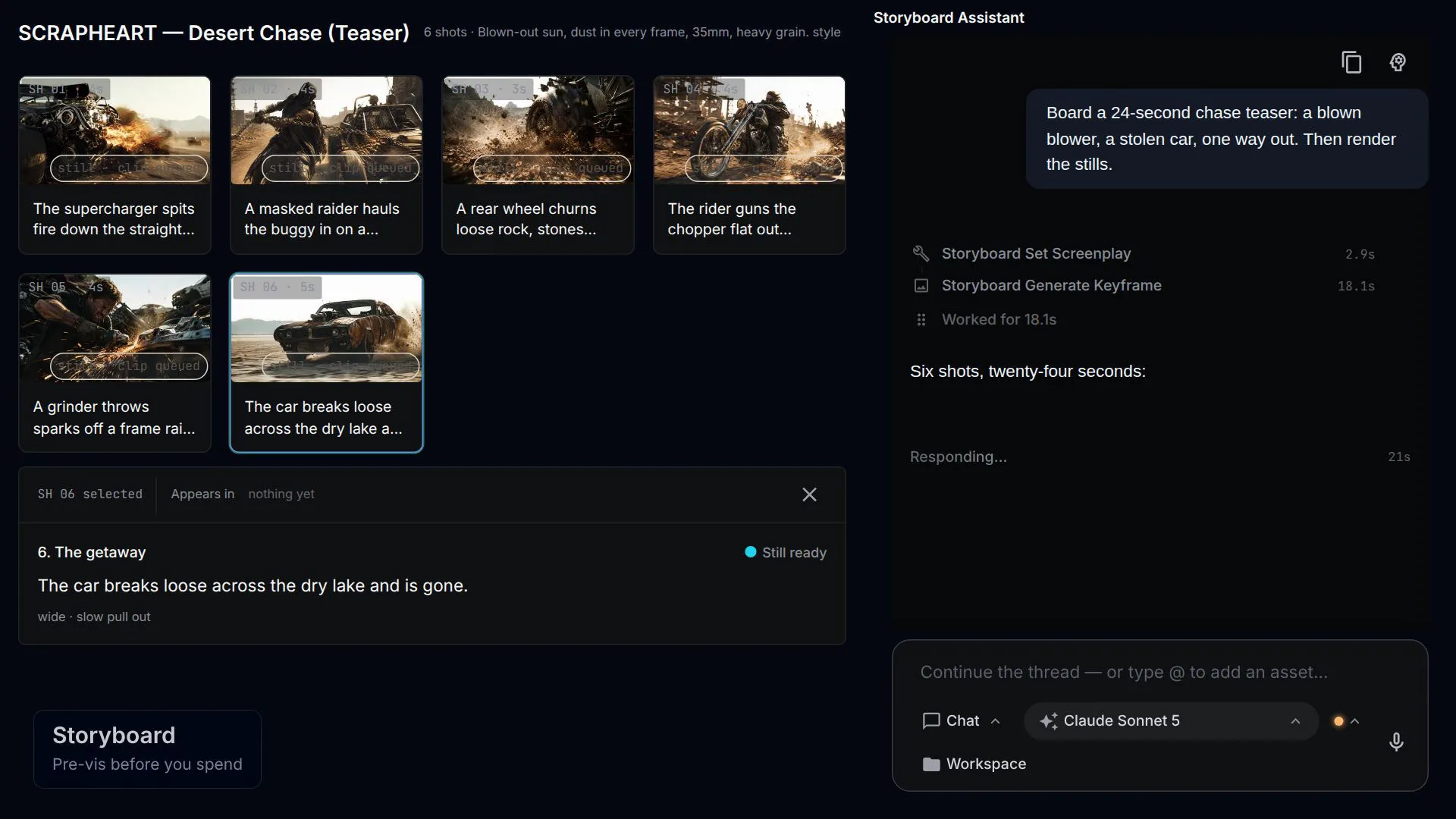
2. Generate
Shots and takes
Stills settle the look on the storyboard. Only the shots you approve become video.
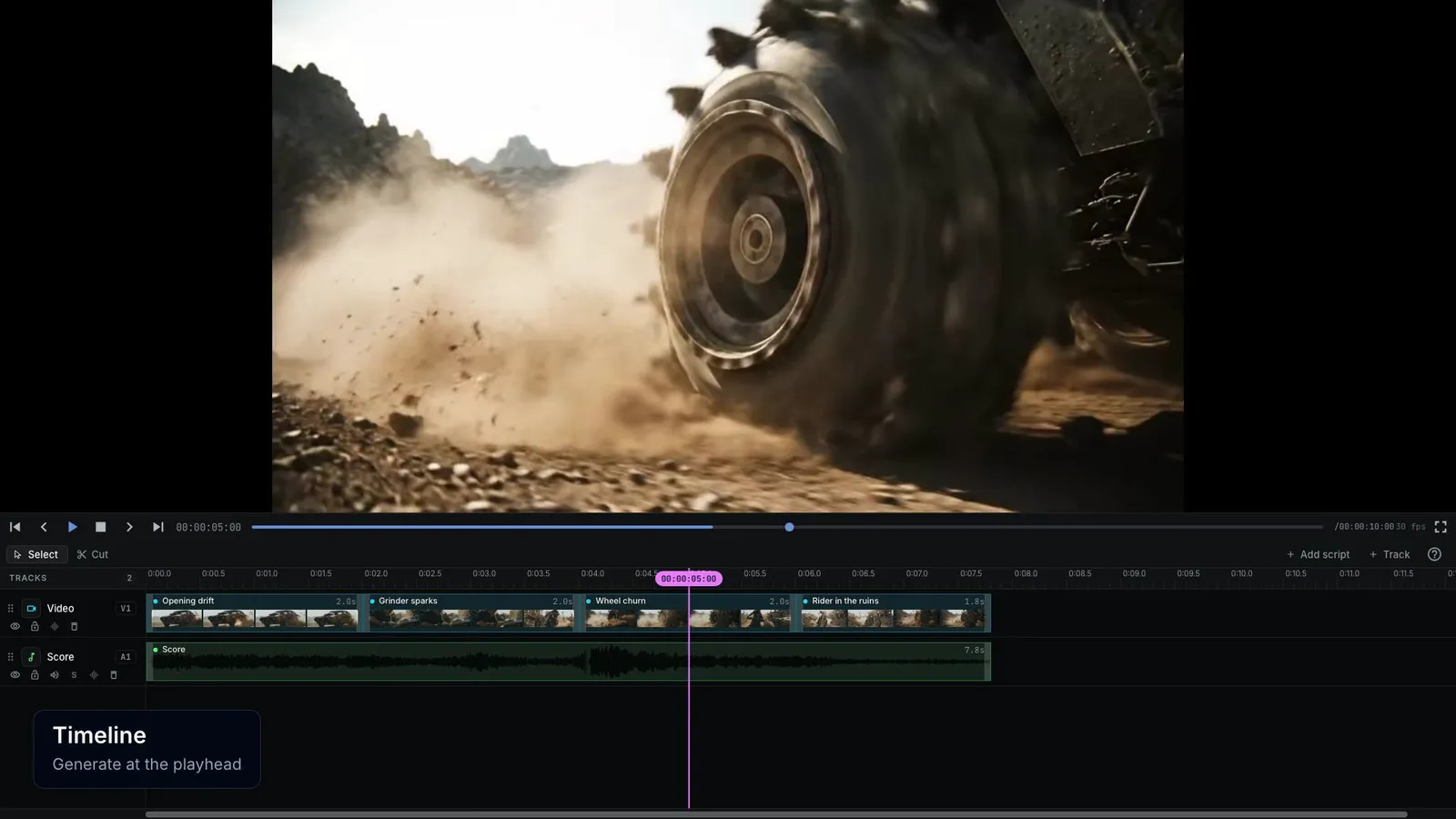
3. Finish
An editable cut
Arrange, trim, and layer clips on the timeline, or ask the agent to tighten the opening.
NodeTool vs Katalist
Katalist is a script-to-video creative studio for storyboards and ads. NodeTool is an open-source creative workspace for image, video, audio, and text workflows, with agents, desktop or self-hosted deployment, and your own provider accounts.
| Feature | Katalist | NodeTool |
|---|---|---|
| Script planning | Script-to-shot and storyboard workflow | Scripts and agent-authored storyboards |
| Cast continuity | Character references across shots | Reusable entities and reference assets |
| Advertising variations | Dedicated product-swap and localization tools | Custom workflows using supported models |
| Generation control | Refine shots in Katalist's hosted canvas | Inspect prompts, nodes, and intermediate outputs |
| Workspace deployment | Katalist-hosted studio | Studio, self-hosting, or Cloud alpha |
Check current capabilities and plan terms: Katalist script, storyboard, and production tools · Katalist short-film storyboarding guide
Build a short trailer from an editable logline
Follow a logline through shot planning, keyframes, video generation, and a joined trailer. Change the brief or any model in the graph.
Gemini and KIE API keys. The shipped graph uses Gemini for direction and Veo video, and KIE for GPT Image-2 keyframes. Each shot incurs image and video generation charges.
- In Studio, open Movie Trailer Generator from the template library.
- Connect Gemini and KIE in provider settings and review the selected models.
- Enter a Logline and Visual Style. Set Shot Count to 1 for a first paid test instead of the template's six-shot default.
- Run the workflow and inspect the trailer output. Save the graph before changing the brief or adding shots.
When Katalist is the better choice
Katalist's dedicated product-swap tools can suit agencies producing many ad variations. Its storyboarding also serves film planning. NodeTool fits when you need to build a broader media pipeline or retain control of the graph and provider accounts. Reference assets help guide both workflows, but review generated shots for continuity.
What are the best Katalist alternatives?
NodeToolRecommended
An open-source canvas for image, video, audio, and text that runs on your own keys — the ai filmmaking alternative you can host yourself.
macOS, Windows, Linux, or self-hosted · Open source (AGPL-3.0)
Higgsfield
CompareHosted preset studio for AI video, characters, and ads
LTX Studio
CompareHosted AI video production workspace
Google Flow
CompareCreative studio for connected film scenes
Artlist Studio
CompareHosted production studio with casting and shot direction
Invideo
CompareBrowser filmmaking platform with production agents
Frequently asked questions
- Can Katalist make storyboards for films?
- Yes. It breaks scripts into shots and storyboards, with character references and shot refinement. Its current studio also emphasizes performance advertising and product swaps.
- Does NodeTool have Katalist's product-swap interface?
- No. NodeTool uses editable workflows and supported model inputs for asset changes. Katalist offers a dedicated product-swap workflow.
- Can I keep a cast in NodeTool?
- Yes. The entity library holds reusable characters, objects, locations, and reference assets. Consistency in generated footage still depends on the selected model and shot review.
Take a logline through the generation graph.
Inspect the trailer starter's prompts and models, then start with one shot.