
Concept 03explain
One hub, three product benefits
Explain a SaaS or service bundle without presenting a full unreadable dashboard.
- Length
- 15s
- Beats
- 5
- Frame rate
- 30 fps
- Complexity
- moderate
Use one persistent hub; activate one benefit at a time.
Use it when
One service connects several distinct benefits around a clear central idea.
Pick another concept when
The message is a sequence of steps rather than a bundle of benefits.
What you need
- One hub icon or authorized representative image
- Three cropped UI feature cards
- One genuine outcome statement
- Logo and CTA
Keep this consistent
A single hub remains stable while one benefit card at a time receives attention.
Beat sheet
5 beats · 15s

Beat 1 · 0s–2s · 2s
Hook
Hub and plain-language problem are already visible.
- Motion
- Hub settles in 300 ms; headline enters by word with 80 ms stagger.
- Sound
- Optional VO reads the problem.
- Check
- Keep UI out of the headline area.
Copy slot:Problem

Beat 2 · 2s–5s · 3s
Feature 1
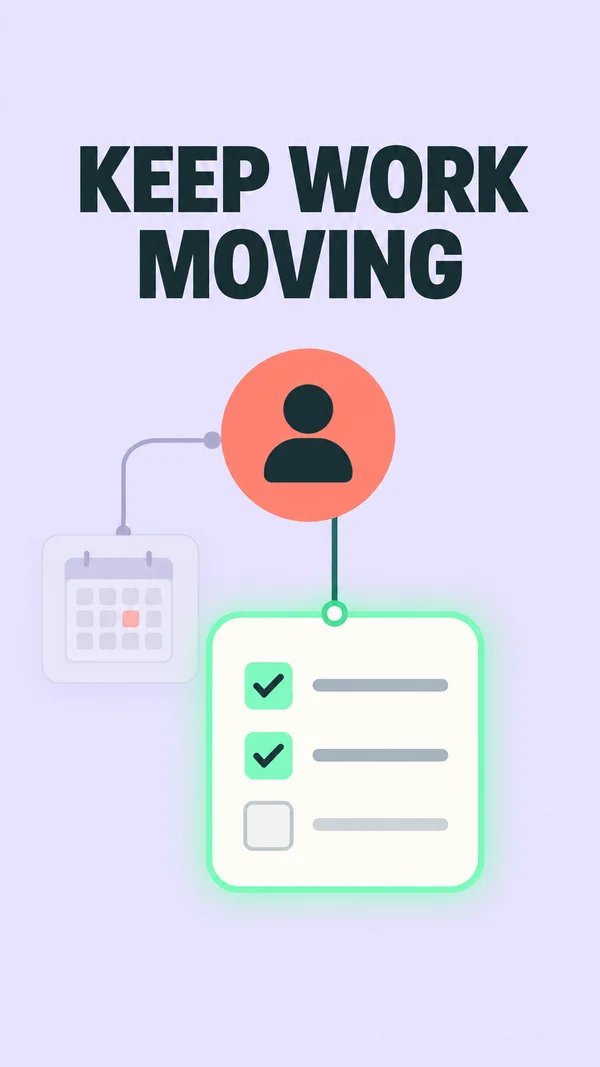
First card connects to the hub.
- Motion
- Draw connector via trimEnd 0→1 in 300 ms; card slides 0.08 heights and settles.
- Sound
- Soft connection tick.
- Check
- Enlarge the important UI state, not the whole app.
Copy slot:Benefit 1
Beat 3 · 5s–8s · 3s
Feature 2
Second card replaces the first as focal point.
- Motion
- First dims to 0.45 opacity; second enters in 250 ms.
- Sound
- Matching tick.
- Check
- Two cards may coexist, but only one is active.
Copy slot:Benefit 2

Beat 4 · 8s–11.5s · 3.5s
Feature 3
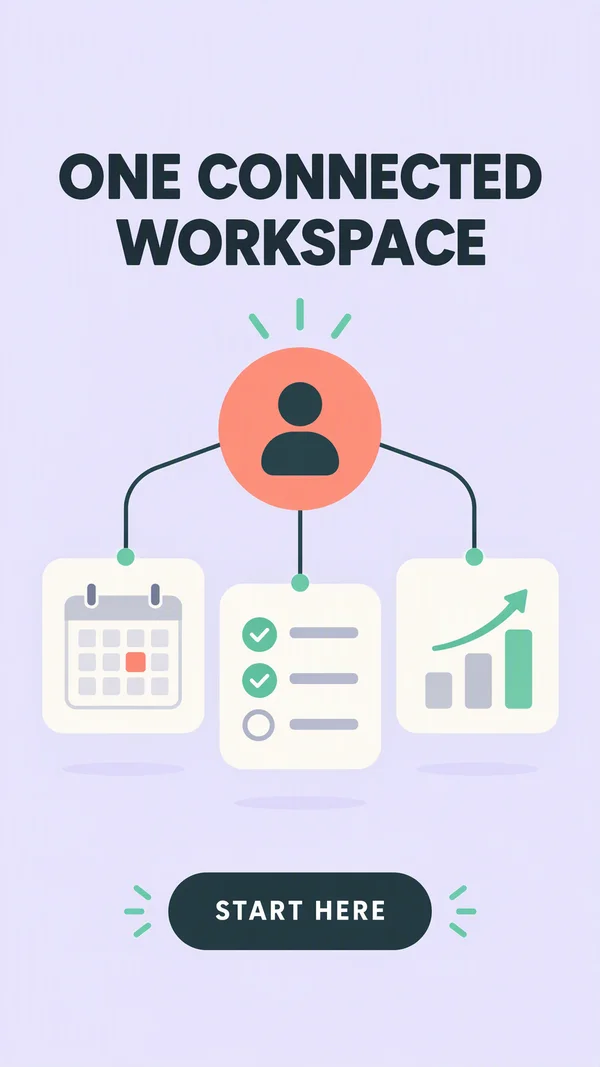
Third card enters; the completed hub becomes visible.
- Motion
- Third connects, then group scales back 8% to show the system.
- Sound
- Last matching tick.
- Check
- Labels <=5 words each in this proposed template.
Copy slot:Benefit 3
Beat 5 · 11.5s–15s · 3.5s
Outcome and CTA
Three-card system, outcome and CTA hold together.
- Motion
- 180 ms fade for outcome; no further card movement.
- Sound
- VO resolves before the end.
- Check
- Outcome must be substantiated; CTA readable for at least 2 s.
Copy slot:Outcome and CTA
Copy budget
Word counts are a starting point. Keep required qualifications.
- Problem7 words
- Benefit 17 words
- Benefit 27 words
- Benefit 37 words
- Outcome and CTA8 words
Layer stack
Top of the frame first.
- 6CTA
- 5Benefit labels
- 4Hub image
- 3UI cards
- 2Connector paths
- 1Background
Adapt the format
- 9:16
- Use the reference composition. Check placement overlays with the actual destination preview.
- 4:5
- Reflow the composition into a wider canvas; increase useful media width and recheck every line break.
- 1:1
- Reduce vertical gaps; keep a single dominant focal point and preserve the intended reading order.
Review the finished ad
- The active card is unambiguous with audio muted.
- Every shown connection corresponds to a supported product capability.
- The final brand and CTA are fully settled and readable before export ends.
Watch out
- Do not imply unimplemented integrations or features.
- Avoid four equally prominent cards on a narrow canvas.
Fallback. Use static connectors and staggered fades when path trim is unavailable. Use simplified shapes for UI, not tiny screenshots.
Variations
- 10 s: show two features.
- 6 s: one feature and one outcome.