
Image Input
input
image
NodeTool Cloud is in alpha — run workflows in the browser, on your own keys.NodeTool Cloud is in alpha. Try it →
Cloud AI tools send your prompts, files, and outputs through someone else's server by default. NodeTool Studio runs entirely on your own hardware with open-weight models — nothing leaves your machine unless you explicitly wire in a cloud provider.
Script, storyboard, footage, sound, and the cut — on one canvas, with the editing tools sitting right next to the models. You direct the whole piece instead of generating parts of it.
Go from prompt to screenplay in seconds. Draft dialogue, cast character voices, and audition alternate line readings with automatic word-level sync.
Route your shots through Flux, Seedance, Wan, Whisper, ElevenLabs, Suno, and the rest, on your own keys. Studio adds open weights running on your own hardware. No platform lock-in.
Instead of a single unfixable video file, the agent hands you a fully editable multi-track project. Fine-tune every frame, layer, and audio stem.
Mask, retouch, extend, relight, upscale, layer, and composite. The tools you reach for live on the same canvas as the models.
Real projects you can open, run, and re-cut. Each one runs from the pitch to the finished piece without leaving the canvas, and every one is built from the blocks you get on day one.
Type one logline and get a storyboard back: a card per shot, a still on every card. Approve the ones you like, animate those, and cut the trailer on the timeline.
Describe the film in a sentence and the board comes back readable: a card per shot, a still on every card. Approve the stills, animate them, and cut the teaser on the timeline.
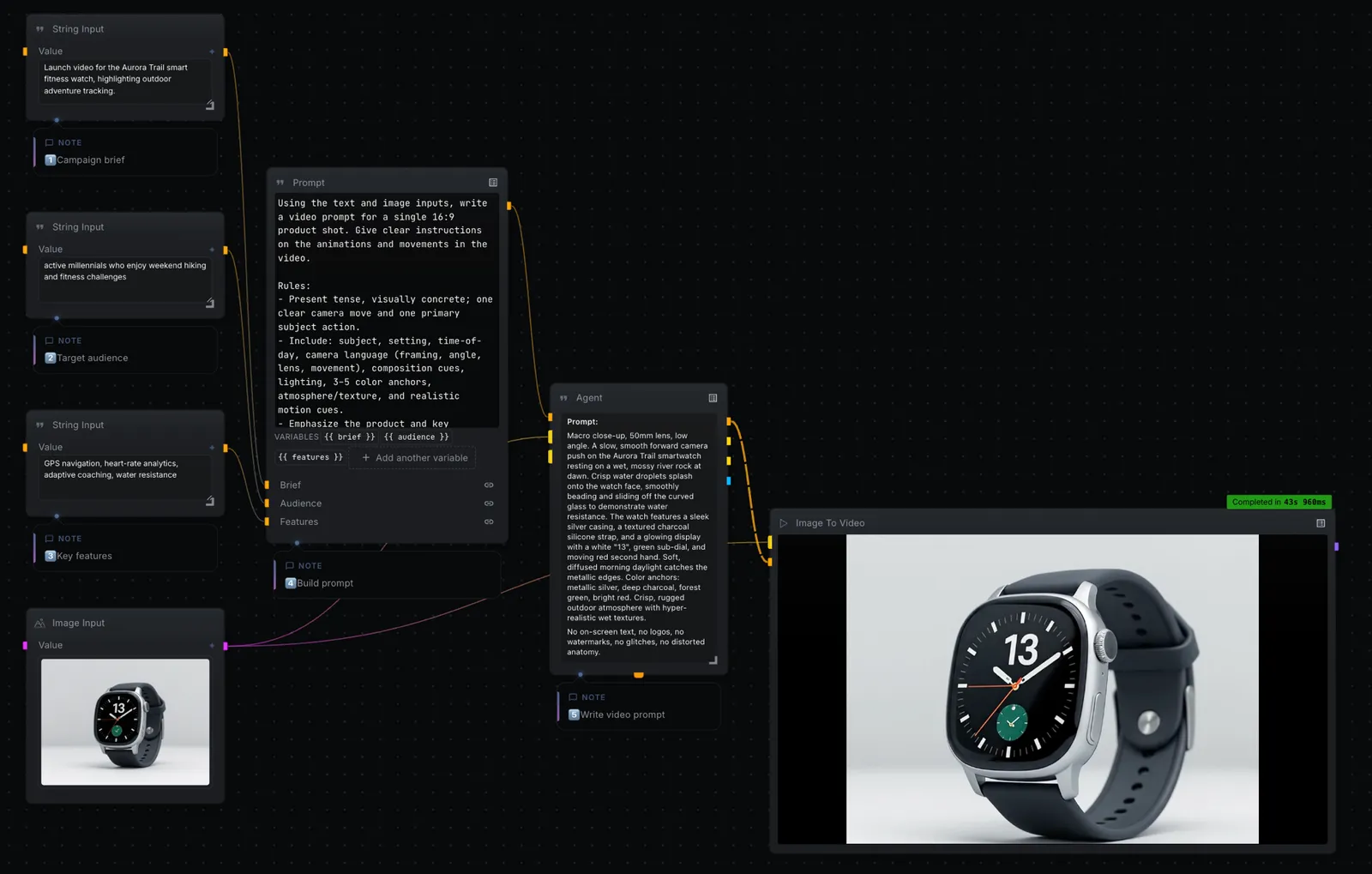
Turn a campaign brief and a single product photo into a cinematic 16:9 product video. Your inputs feed a prompt, an agent directs the shot, and a text-to-video model renders it.
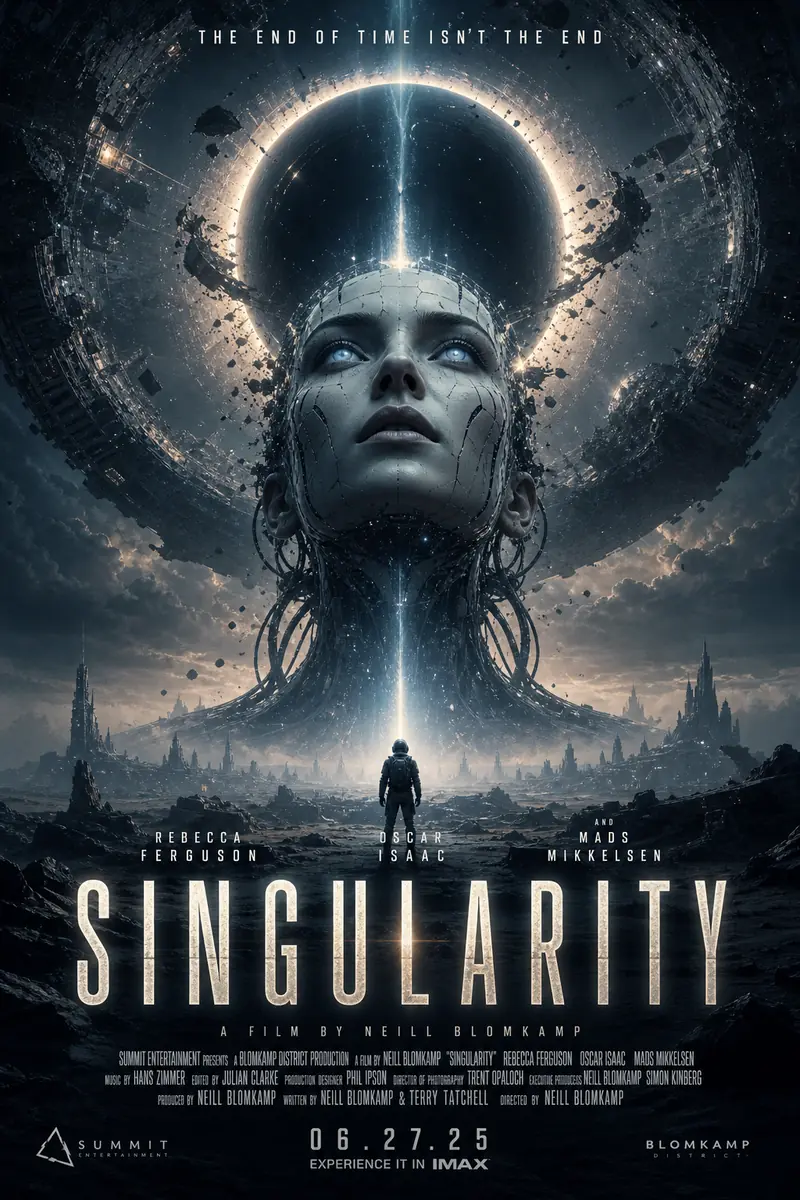
From a title, genre, and audience, the canvas writes a creative strategy and renders a batch of cinematic movie poster concepts, title, tagline, billing block and all.
Not with local models. NodeTool Studio runs open-weight models on your own hardware, and assets, workflows, and keys stay on disk. Data only leaves when you deliberately wire a node to a cloud provider.
Most AI canvases route every prompt and file through their own servers before you see a result. NodeTool has no server in that path by default — the graph executes locally, and a cloud call happens only where you add one.
Yes. Run the sensitive steps on local models and send only the parts you choose to a cloud provider, node by node, in the same graph.
Download the open-source studio for macOS, Windows, and Linux. Open the template and direct it yourself, on your own keys.