NodeTool Cloud is in alpha. Direct films and run workflows in the browser, on your own keys.NodeTool Cloud is in alpha. Try it →

Product
StudioCloud (alpha)AgentsNode-based workflowsAI video editorAI image editorStoryboardsMCP serverSupported modelsDownloadSolutions
DevelopersMarketingGame developmentLocal-firstResearchersAll solutionsResources
TemplatesRecipesPresetsAd libraryCompare alternativesFAQAI Social Media Content Generator
Pitch a campaign and a cadence. The agent plans the calendar, writes each post, and renders matching visuals for every slot.
- A full calendar of posts from one brief
- Copy and visuals generated together, on-brand
- Export the batch or wire it into your scheduler
One canvas.
The whole production.
Script, storyboard, footage, sound, and the cut — on one canvas, with the editing tools sitting right next to the models. You direct the whole piece instead of generating parts of it.
Scripting & casting
Draft a script, choose a voice for each character and compare different readings of a line.
Choose your models
Create images, video, speech and music with models such as Flux, Seedance, Wan, Whisper and Suno, or voices from ElevenLabs. Connect your provider accounts or run supported models locally.
Edit your video in the timeline
The agent arranges clips and audio in a timeline. Trim shots, adjust timing and change the soundtrack yourself.
Edit where you generate
Mask, retouch, extend, relight, upscale, layer, and composite. The tools you reach for live on the same canvas as the models.
From a pitch to a finished cut
Real projects you can open, run, and re-cut. Each one runs from the pitch to the finished piece without leaving the canvas, and every one is built from the blocks you get on day one.
Movie Trailer Generator
Type one logline and get a storyboard back: a card per shot, a still on every card. Approve the ones you like, animate those, and cut the trailer on the timeline.
Documentary Teaser Generator
Describe the film in a sentence and the board comes back readable: a card per shot, a still on every card. Approve the stills, animate them, and cut the teaser on the timeline.
Product Video Generator
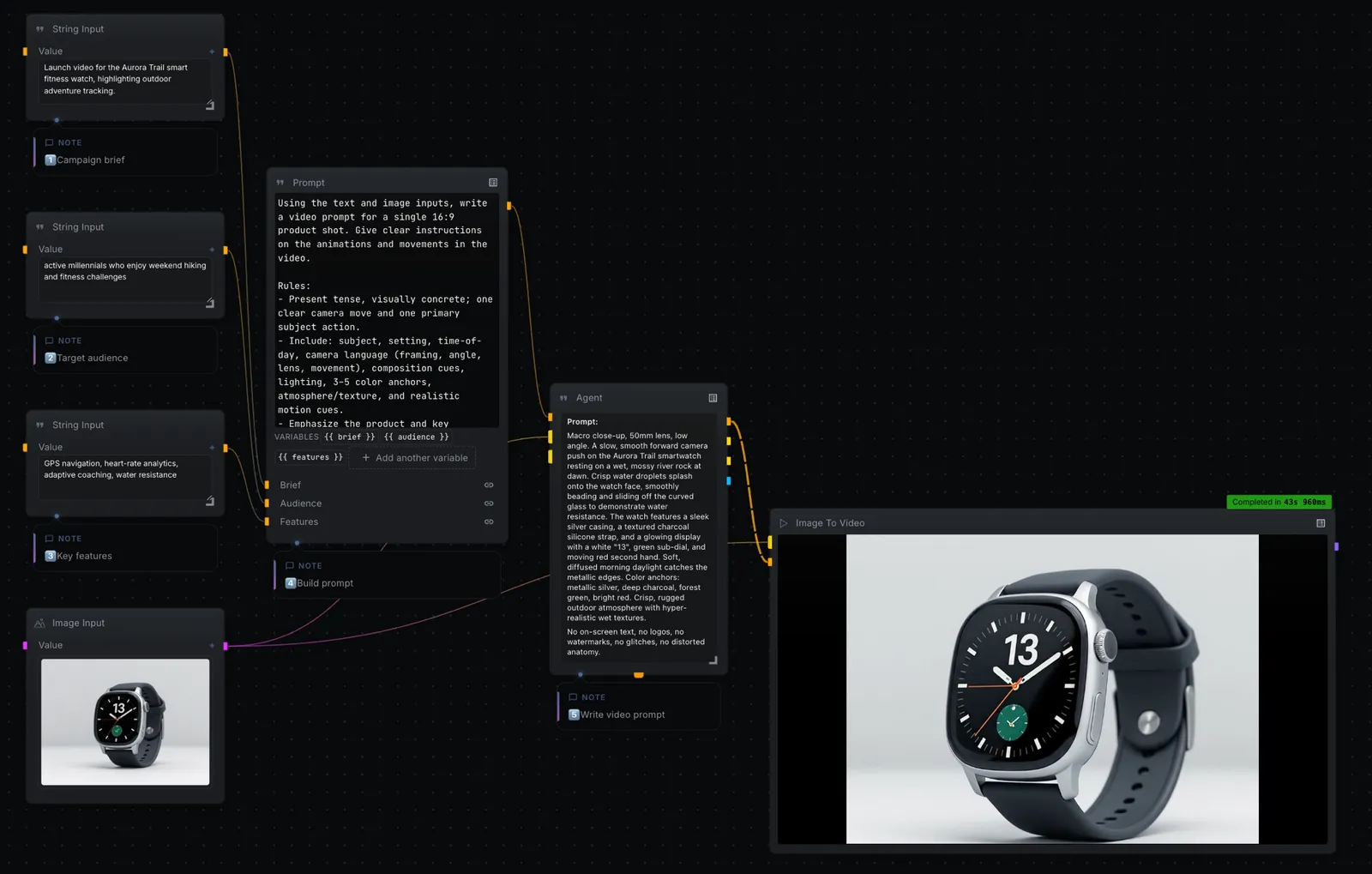
Turn a campaign brief and a single product photo into a cinematic 16:9 product video. Your inputs feed a prompt, an agent directs the shot, and a text-to-video model renders it.
Movie Poster Generator
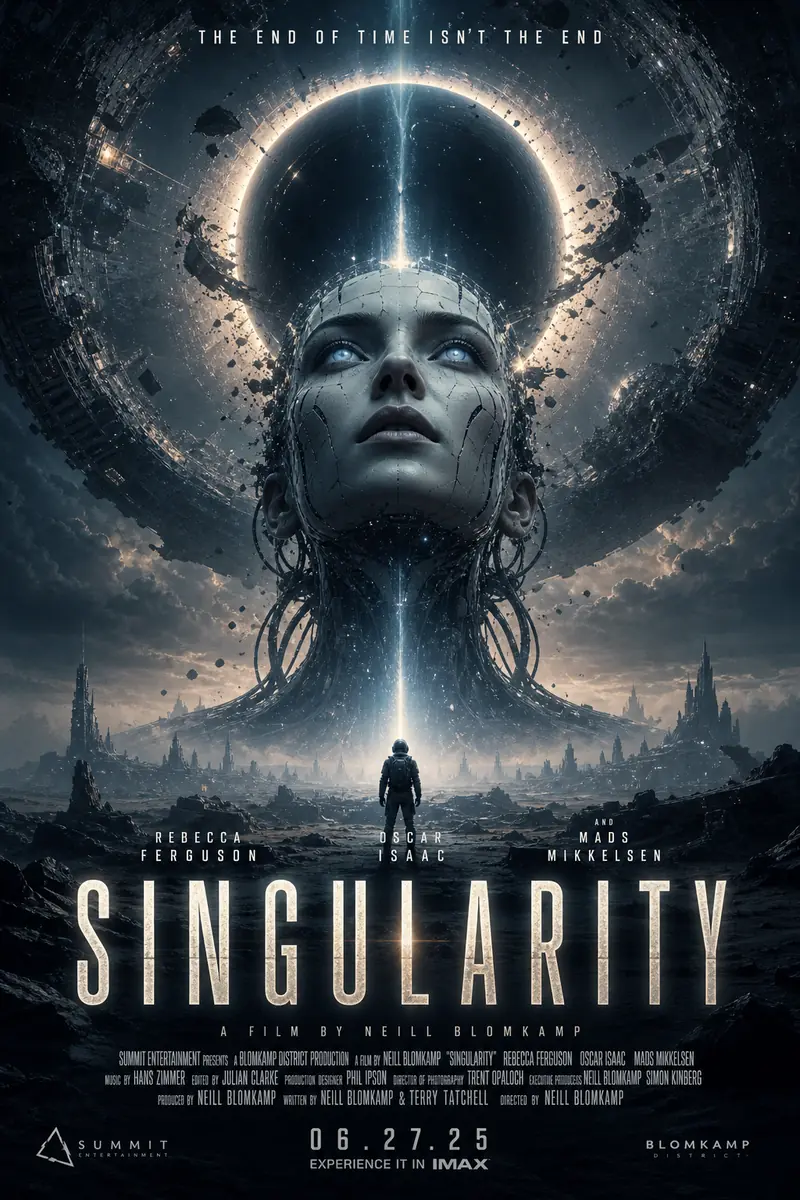
From a title, genre, and audience, the canvas writes a creative strategy and renders a batch of cinematic movie poster concepts, title, tagline, billing block and all.
Frequently asked questions
How many posts can it make at once?
The list generator fans out to as many posts as you ask for — the graph batches each one through the same copy and image nodes.
Can I keep it on-brand?
Yes. Set the brand voice and visual style in the prompt nodes once, and every post in the batch inherits it.
Where do the assets go?
Preview them on the canvas, then export the batch. You bring your own model keys and pay providers directly.
Build it on your own machine
Download the open-source studio for macOS, Windows, and Linux. Open the template and direct it yourself, on your own keys.